
The best help center software for startups in 2026
Discover the best help center software for startups in 2026 to streamline support, enhance customer experience, and fuel your growth journey.

Updated Sep 2026: pricing refreshed.
Your first 50 customers don’t email support with complex edge cases. They ask the same three questions: “How do I set this up?”, “Where do I find X?”, and “Does this integrate with Y?” A help center answers all three without pulling an engineer off their work.
The problem is that most help center software is built for companies with dedicated support teams and five-figure budgets. Startups need something they can set up in an afternoon, afford on a seed-stage budget, and not think about again until their next fundraise.
We looked at six tools that startups actually consider in 2026. Here’s how they stack up.
The contenders at a glance
| Tool | Starting price | Per-seat pricing? | AI features | Setup time |
|---|---|---|---|---|
| Intercom Articles | $29/seat/mo (Essential) | Yes — up to $132/seat | AI chatbot (Fin), AI assist | Hours (part of larger suite) |
| Zendesk Guide | $55/agent/mo (Suite Team) | Yes | AI agents, content cues | Hours to days |
| GitBook | Free — $65/site/mo + $12/user | Per site + per user | AI search | Minutes |
| HelpDocs | $99/mo (Sprout, annual) | No (flat rate) | AI drafting | ~30 minutes |
| Document360 | Quote only | Quote-based | AI search, auto-tagging | Hours |
| Helprism | Free ($0) | No (flat rate) | AI onboarding wizard, AI answer bot, AI translation | ~5 minutes |
Pricing was first checked in March 2026 and refreshed in September 2026. Let’s break each one down.
Intercom Articles
Intercom is a full customer communication platform. Articles is one module within it. If you’re already using Intercom for live chat, adding Articles makes sense — it’s integrated, and the Fin AI chatbot can pull answers from your docs.
The catch: Intercom’s pricing starts at $29/seat/month on the Essential plan and goes up to $132/seat on Expert. For a three-person startup, that’s $87–$396/month just for knowledge base capability bundled into a larger tool. You’re paying for a lot of features you may not need yet.
Zendesk Guide
Zendesk Guide is the knowledge base inside Zendesk Suite. It’s mature, reliable, and has strong content management features including AI-powered content cues that suggest articles to write based on ticket trends.
The downside is the same as Intercom: you’re buying a suite. At $55/agent/month for Suite Team, it’s expensive for early-stage companies. The setup also assumes you have a support workflow in place. If you’re a five-person team where everyone wears multiple hats, Zendesk can feel like driving a semi truck to the grocery store.
GitBook
GitBook carved out a niche with developer-focused documentation. It’s clean, markdown-native, and has a generous free tier. If your users are developers and your help center is really a docs site, GitBook is a strong choice. Paid plans start at $65/site/month (Premium, billed annually) plus $12/user/month.
Where it falls short: GitBook isn’t designed for traditional help centers. There’s no built-in widget, no analytics on search effectiveness, and no feedback collection. It’s a documentation tool, not a support tool.
HelpDocs
HelpDocs is a dedicated knowledge base product with flat-rate pricing starting at $99/month (Sprout) and going to $399/month (Harvest), billed annually. No per-seat fees, which is refreshing. It’s straightforward to set up and has solid customization options.
The limitation is that HelpDocs hasn’t kept pace with AI. It now includes AI drafting on every plan, but there’s no answer bot and no smart onboarding. At $99–$399/month, it’s a decent mid-range option, but you’re paying a premium for what is fundamentally a static knowledge base.
Document360
Document360 is a feature-rich knowledge base platform with AI-powered search, auto-tagging, and strong versioning. It targets mid-market and enterprise teams.
The pricing reflects that. Document360 no longer publishes prices — every plan is quote-only — so you need a sales call before you know what it costs. For a well-funded Series A company with a dedicated documentation team, Document360 delivers. For a pre-revenue startup, it’s overkill.
Helprism
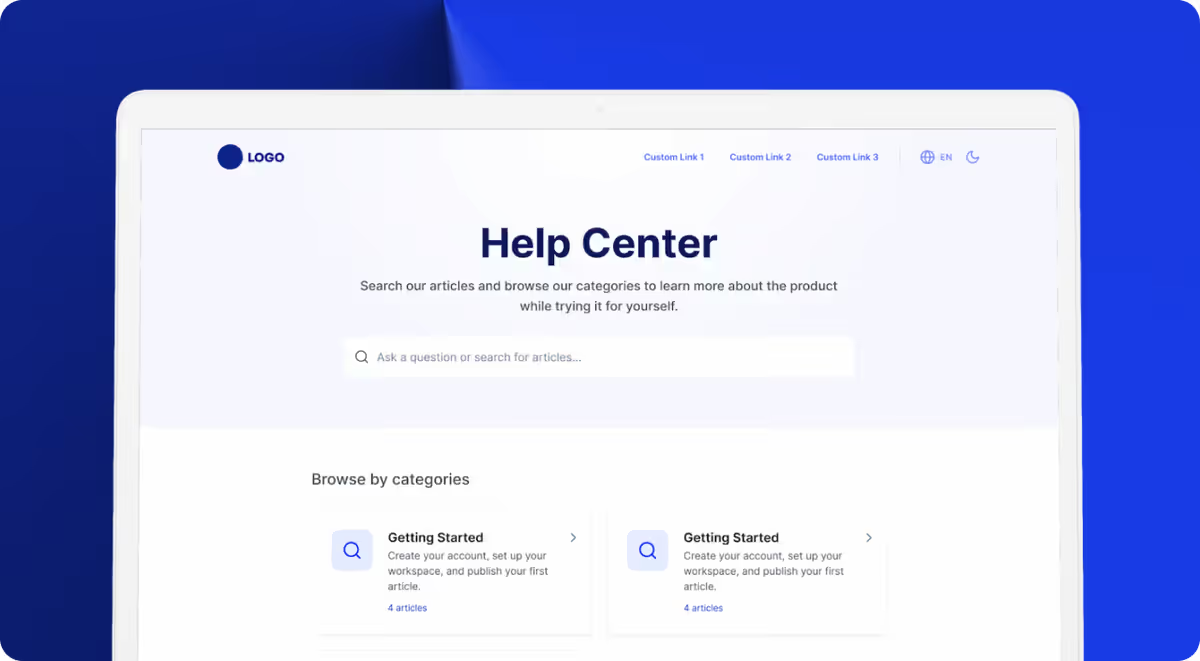
Helprism takes a different approach. Instead of asking you to build a help center from scratch, it builds one for you.
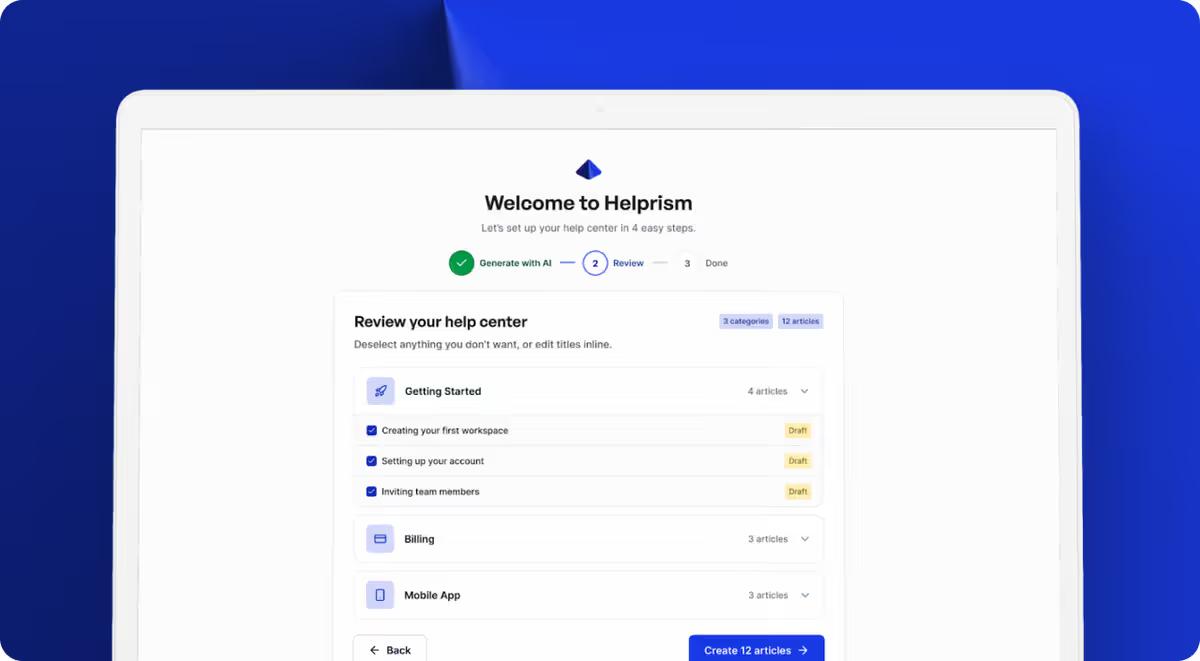
The AI onboarding wizard scans your website, identifies what your product does, and generates a complete set of categories and articles. You review, edit what needs changing, and publish. The entire process takes about five minutes.
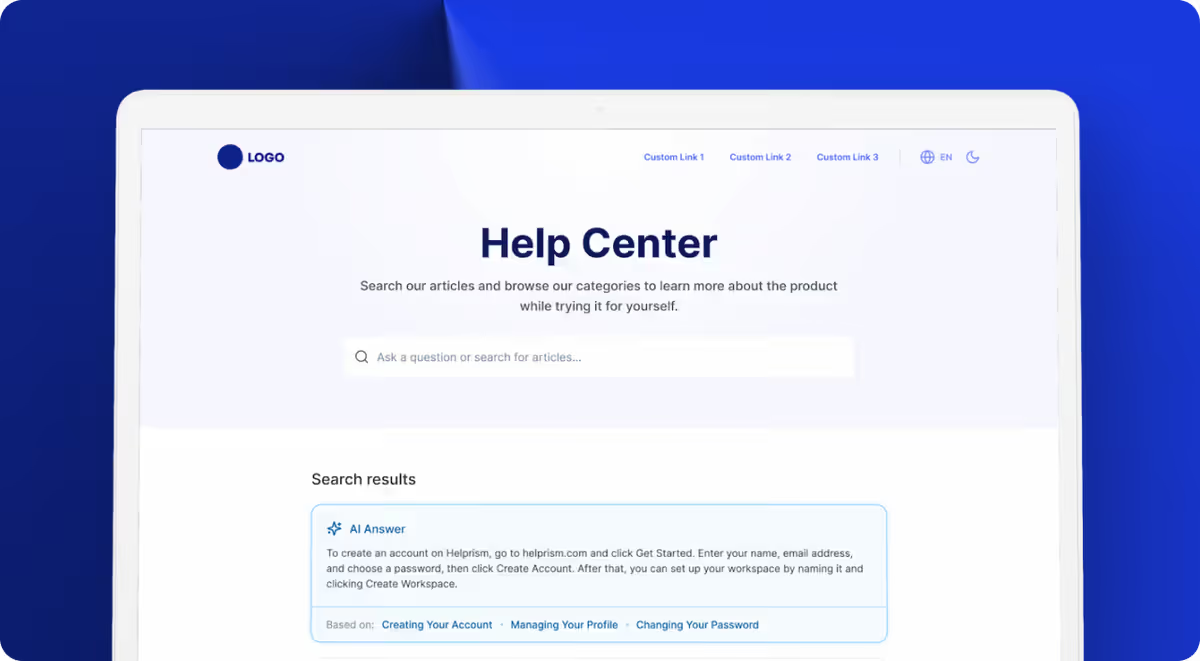
Pricing is flat-rate with no per-seat fees: Free ($0, 1 user, 10 articles), Starter ($19/month, 3 users, 50 articles), Pro ($49/month, 10 users, 500 articles), and Business ($99/month, unlimited everything). The Pro plan includes a custom domain, AI answer bot, and an embeddable help widget.
What to actually optimize for
Most startup founders evaluating help center software focus on features. That’s the wrong lens. Here’s what actually matters:
Time to first published article. If it takes more than an hour to go from sign-up to a live help center, you’ll abandon it. Every tool on this list except Helprism requires you to write content from scratch. Helprism’s AI generates a working draft from your existing website content.
Cost at your current stage. Per-seat pricing punishes growth. When you hire your third support person, your bill shouldn’t double. Flat-rate pricing (HelpDocs and Helprism) is more predictable. Helprism’s free tier means you pay nothing until you outgrow 10 articles.
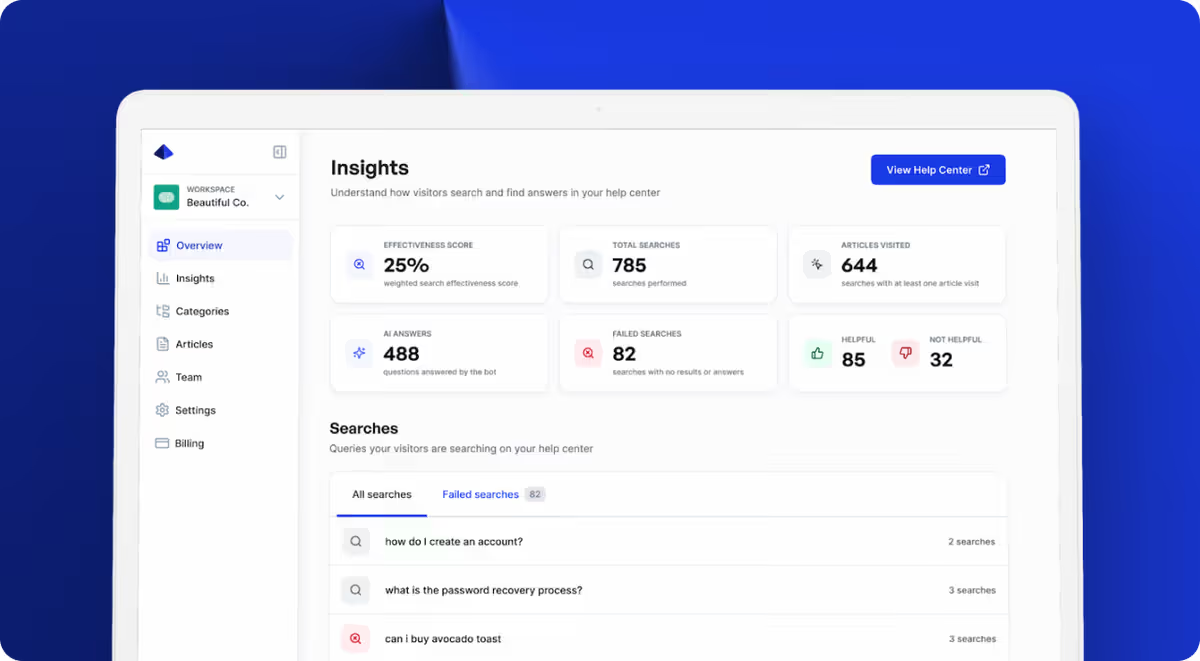
Maintenance overhead. A help center that nobody updates is worse than no help center — it actively misleads customers. Look for analytics that show you which searches return no results, which articles get negative feedback, and where the gaps are. Helprism and Zendesk both do this well.
Self-serve resolution. An AI answer bot that surfaces relevant articles before a customer opens a ticket reduces your support volume. Intercom (via Fin) and Helprism both offer this, but at very different price points.
The verdict
If you’re already paying for Intercom or Zendesk and need a knowledge base, use their built-in tools. Migrating to a standalone product isn’t worth the friction.
If you’re starting from zero — no existing support stack, no dedicated support hire, limited budget — Helprism is the strongest option. The AI onboarding wizard eliminates the blank-page problem that kills most help center projects before they launch. Flat-rate pricing from $0 to $99 means your costs are predictable as you scale. And the built-in answer bot, widget, and analytics cover features that other tools charge $200+/month to access.
GitBook is a solid pick if your audience is developers and you want markdown-native docs. HelpDocs is reliable if you prefer a traditional approach and don’t need AI. Document360 makes sense at Series B and beyond when you have a documentation team.
For most startups in 2026, though, the math is simple: get a help center live this week, not next quarter.
Ready to get started?
Paste your URL. Review the draft. Publish. Your help center is live before your coffee gets cold.
Start Free →