
Notion as a Help Center: Why Teams Outgrow It
Notion works as a help center until it doesn't. Here are the 5 specific limitations that force growing teams to migrate — and what to migrate to.

We get it. Your team already uses Notion for everything — docs, roadmaps, meeting notes, project tracking. So when someone says “we need a help center,” the obvious move is to make a Notion page public and call it done. It costs nothing, takes 10 minutes, and it works.
Until it doesn’t.
We’ve talked to dozens of teams who started with Notion as their customer-facing help center and eventually migrated away. The breaking points are remarkably consistent.
Where Notion Works
Let’s be fair. Notion-as-help-center is a reasonable choice in specific conditions:
- Under 50 customers. When your user base is small, a few public Notion pages genuinely suffice.
- Internal knowledge base only. For team-facing docs that employees search, Notion is excellent.
- Pre-product-market-fit. If your product is changing weekly, a heavyweight help center setup is premature.
If any of these describe you, keep using Notion. Seriously. But if you’ve graduated past this stage, here’s what starts breaking.
The 5 Breaking Points
1. Search Is a Black Box
Notion’s search works well for internal use because your team knows the vocabulary. Customers don’t. They search for “cancel my plan” and Notion returns nothing because your article is titled “Subscription Management.” There’s no synonym handling, no typo tolerance, no relevance ranking tuned for external users.
You can’t fix this. Notion’s search isn’t configurable.
2. Zero Analytics
With Notion, you have no idea:
- Which articles get viewed most
- What users search for (and fail to find)
- Which articles users rate as unhelpful
- Whether your help center is actually reducing support tickets
You’re publishing content into a void. Every decision about what to write, update, or remove is a guess.
3. Branding Caps Out Fast
Notion lets you add a cover image and an icon. That’s about it. You can’t match your product’s typography, color system, or component style. You can’t add your navigation, footer, or custom domain (without third-party hacks like Super or Notion2Site that add cost and complexity).
For a pre-revenue startup, this is fine. For a company charging customers $50/month, a help center that looks like a Notion page signals “we didn’t invest in this.”
4. No AI, No Automation
Notion has AI features, but they’re designed for content creation — not customer support. There’s no AI answer bot that can respond to user queries from your articles. There’s no automated categorization, no content gap detection, no smart suggestions.
Every improvement to your help center requires manual work: someone on your team writing articles, reorganizing pages, and guessing what’s missing.
5. Performance and SEO
Public Notion pages are slow. They load Notion’s entire JavaScript bundle, which regularly exceeds 2MB. Page load times of 3-5 seconds are common. Google’s Core Web Vitals penalize this, meaning your help articles won’t rank well in search — cutting off a major discovery channel.
A dedicated help center platform serves static, optimized pages that load in under 1 second and are properly structured for SEO with meta tags, sitemaps, and clean URLs.
What Migration Looks Like
Teams typically migrate from Notion when they hit 100+ customers or 20+ help articles. The migration itself is straightforward:
- Export your Notion pages as Markdown.
- Import into a dedicated help center platform.
- Reorganize into proper categories.
- Set up your subdomain or custom domain.
- Redirect traffic from old Notion URLs.
The whole process takes a day, not a quarter.
Why Helprism Is Built for This Transition
Helprism was designed for exactly this moment — when you’ve outgrown Notion but don’t want to spend weeks setting up Zendesk.
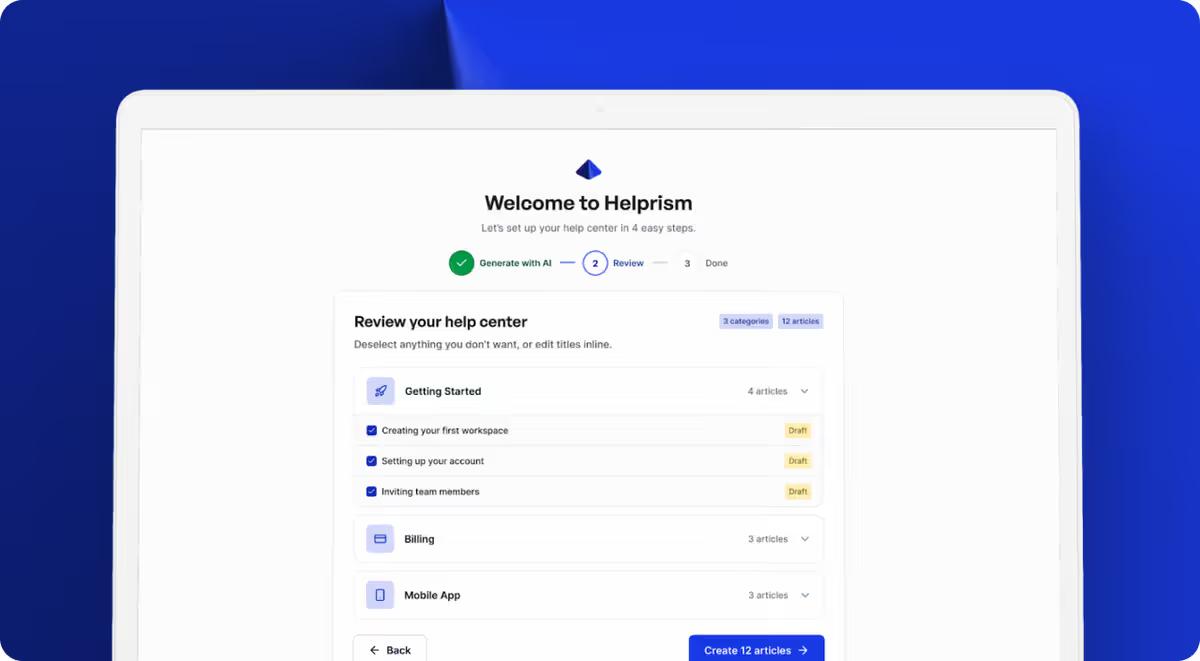
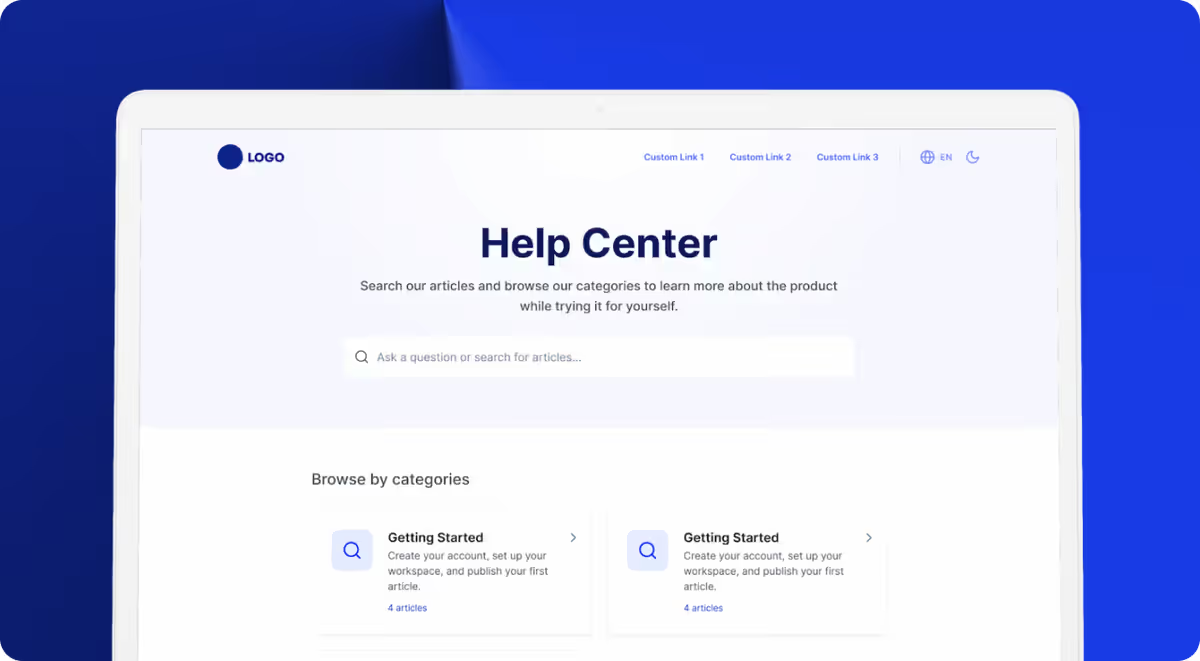
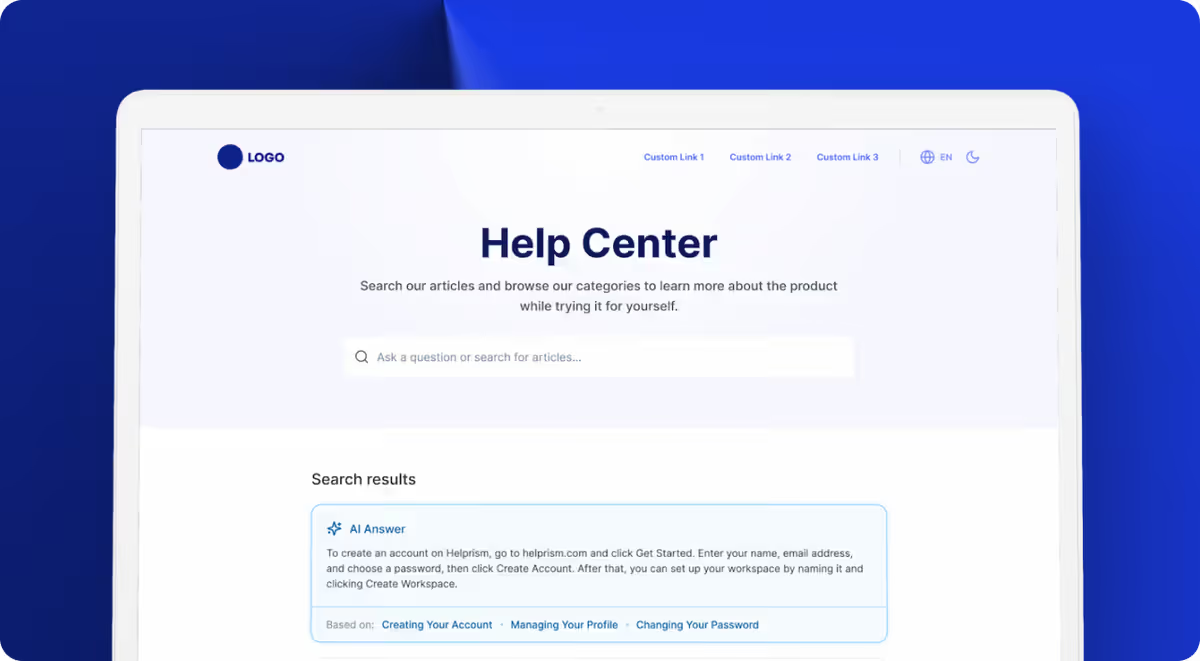
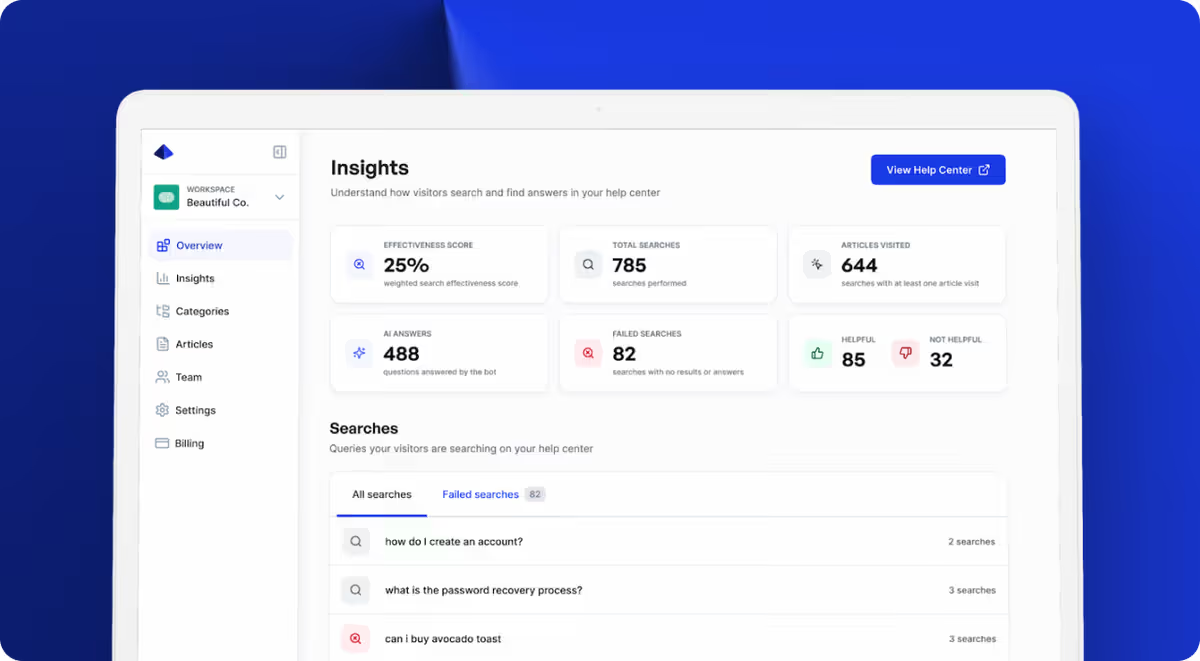
The editing experience feels familiar — a Notion-style block editor with drag-and-drop, inline AI writing tools, and rich formatting. But everything around it is purpose-built for customer support:
- Full-text search with relevance ranking tuned for customer queries
- AI answer bot that responds from your published articles with source citations
- Analytics dashboard showing search effectiveness, failed searches, and article feedback
- Custom branding — your logo, colors, fonts, and custom domain
- Multi-language translation powered by AI
The free plan gives you 1 user and 10 articles at $0/month. Starter ($19/mo) adds up to 3 users and 50 articles. Pro ($49/mo) unlocks the AI answer bot, custom domains, and up to 500 articles. Business ($99/mo) removes all limits.
When to Make the Switch
If you’re nodding along to two or more of the breaking points above, it’s time. The longer you wait, the more content you accumulate in a system that can’t tell you whether it’s helping your customers or not.
Ready to get started?
Paste your URL. Review the draft. Publish. Your help center is live before your coffee gets cold.
Start Free →