
Knowledge Base vs FAQ Page: Which Does Your SaaS Need?
FAQ pages and knowledge bases serve different purposes. Here's how to decide which one fits your SaaS — and when you've outgrown a simple FAQ.

Stripe has a knowledge base with thousands of articles. Your local pizza shop has an FAQ with 6 questions. Both are correct choices — for their context. The problem is when a growing SaaS with 50 features and 3 user roles tries to squeeze everything into a flat FAQ page. That’s where support tickets spike, users churn, and your team burns out answering the same questions.
So which do you actually need? Let’s break it down.
What an FAQ Page Does Well
An FAQ page is a single page with a list of question-answer pairs. It works when:
- Your product is simple (under 10 core features)
- You have fewer than 20 questions worth answering
- Most questions are pre-sales (“Do you offer refunds?”, “What payment methods do you accept?”)
- You’re pre-launch or in very early traction
FAQ pages are fast to create, easy to maintain, and familiar to users. For a brand-new SaaS with a handful of customers, they’re perfectly adequate.
Where FAQ Pages Break Down
The cracks appear fast. Here’s what happens as you scale:
Navigation collapses. At 30+ questions, users are scrolling through a wall of expandable accordions. There’s no search, no categorization, no way to link related topics. Finding the right answer takes longer than contacting support.
Depth is impossible. “How do I set up SSO?” can’t be answered in 2 sentences. FAQ pages force brevity, which means users get half-answers and still submit tickets.
No analytics. You have zero visibility into which questions users actually search for, which answers satisfy them, and which topics are missing entirely. You’re maintaining content in the dark.
SEO is wasted. A single FAQ page competes for one URL. A knowledge base with 50 individual articles competes for 50 long-tail keywords, each driving organic traffic.
What a Knowledge Base Gives You
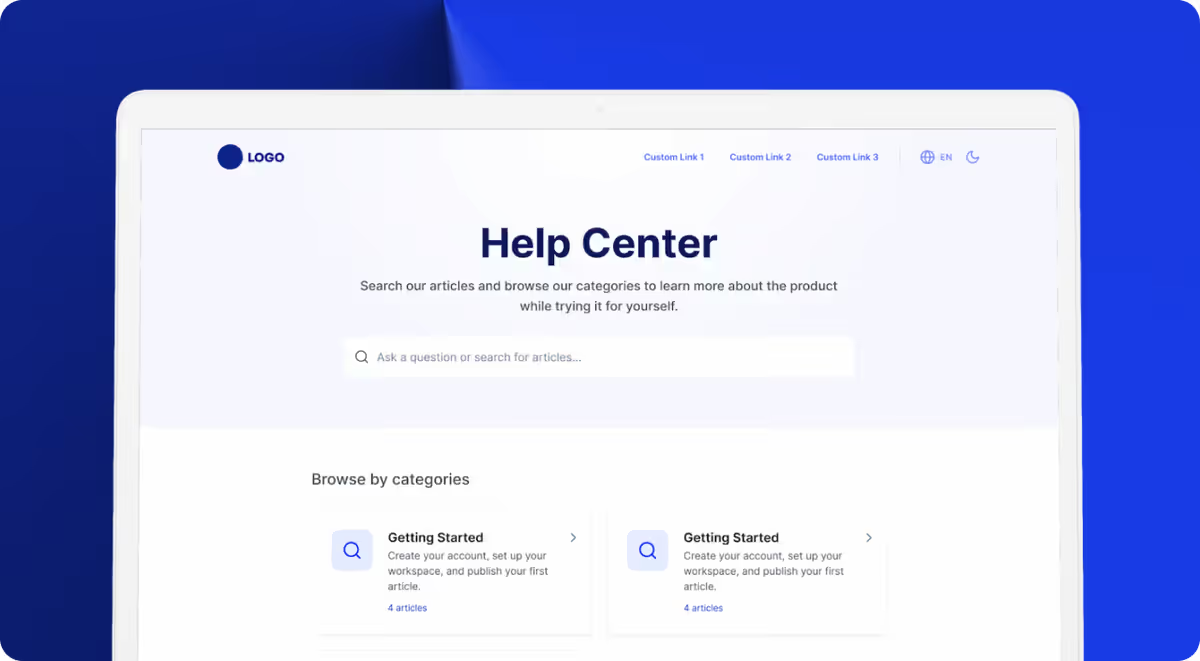
A knowledge base is a structured, searchable collection of articles organized by category. It’s the difference between a sticky note on your desk and a filing cabinet.
| Capability | FAQ Page | Knowledge Base |
|---|---|---|
| Categories & hierarchy | No | Yes |
| Full-text search | Rarely | Yes |
| Individual article URLs | No | Yes |
| Analytics & feedback | No | Yes |
| SEO value | Minimal | High |
| Scales past 50 topics | Poorly | Easily |
The structured format means users find answers in 15-30 seconds via search instead of scanning a long page. Articles can include screenshots, step-by-step instructions, and embedded videos — the depth that complex SaaS products require.
The Decision Framework
Here’s a simple rule of thumb:
- Under 20 questions, simple product → FAQ page is fine
- 20-50 questions, growing product → You need a knowledge base
- 50+ questions, multiple user roles → You need a knowledge base with search, analytics, and AI
Most SaaS products cross the threshold around 6-12 months post-launch. If you’re already feeling the pain of a crowded FAQ page, you’re past due.
Building a Knowledge Base Without the Overhead
The traditional objection is time. Writing 30-50 articles from scratch, organizing categories, designing the help center — it’s a multi-week project that keeps getting deprioritized.
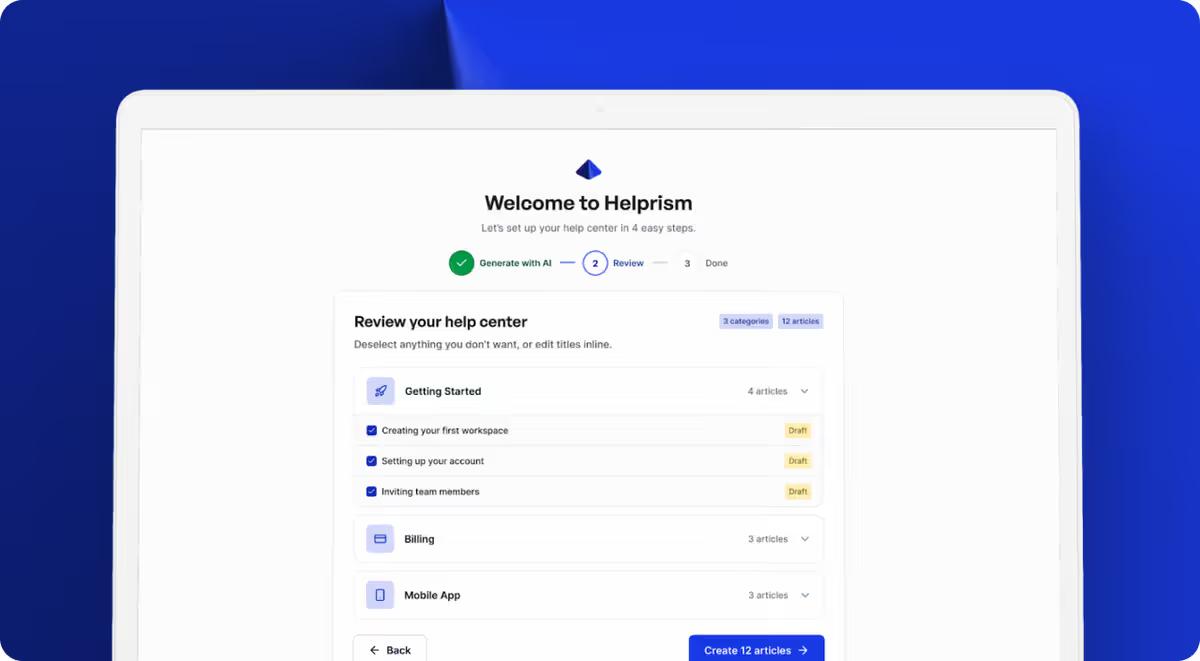
Helprism removes that bottleneck. The AI onboarding wizard scans your website and generates a complete help center — categories, articles, and structure — in minutes. You edit and publish. The cold-start problem disappears.
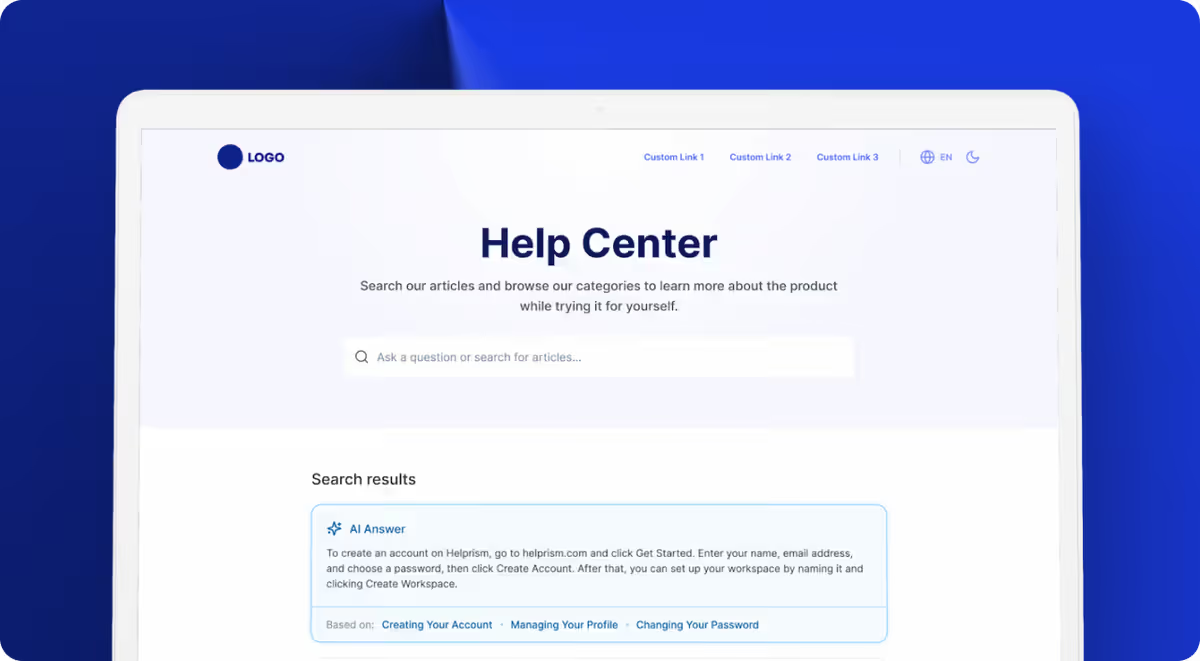
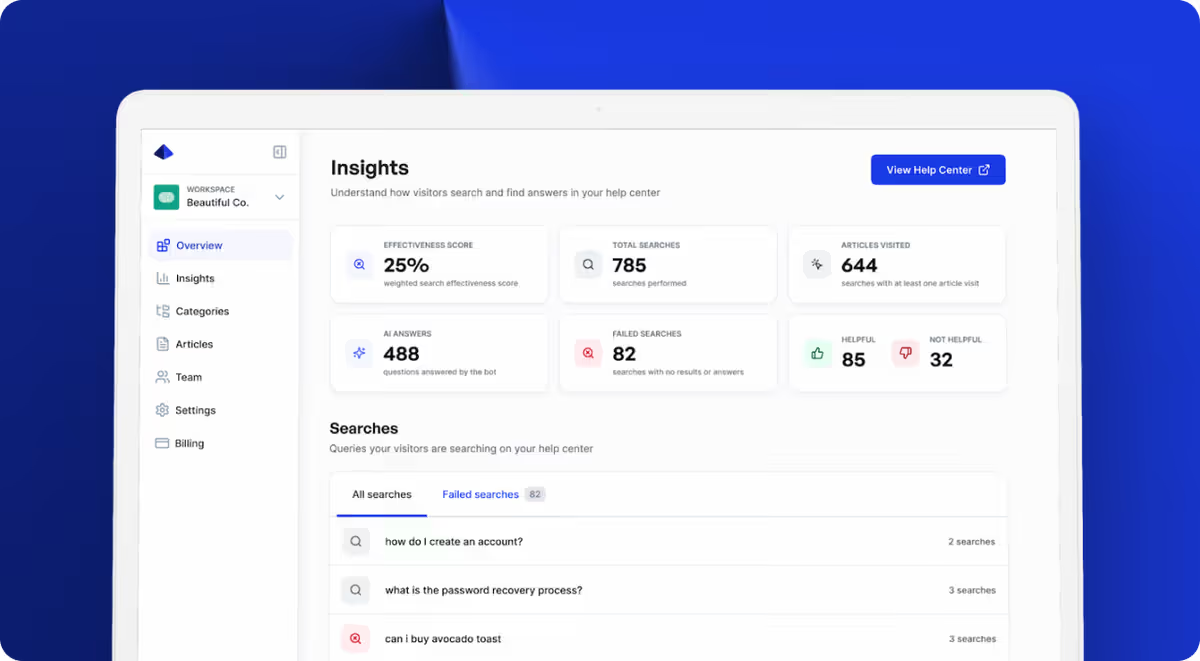
Once live, the analytics dashboard shows which searches return no results and which articles get negative feedback — so you know exactly where to improve. The AI answer bot (on Pro at $49/mo) goes a step further, answering user questions instantly from your articles.
Helprism’s free tier includes 10 articles and 3 categories — enough to validate the approach before upgrading. Starter ($19/mo) scales to 50 articles with full SEO and analytics.
Make the Switch Before It Hurts
If your FAQ page is longer than a few scrolls, your users are already struggling. A knowledge base isn’t a luxury — it’s infrastructure. The longer you wait, the more tickets pile up and the more content you’ll need to migrate.
Start with your top 10-15 support questions. Turn them into proper articles with context, steps, and screenshots. That alone will cut a meaningful chunk of your ticket volume.
Ready to get started?
Paste your URL. Review the draft. Publish. Your help center is live before your coffee gets cold.
Start Free →