
Internal vs External Knowledge Base: Do You Need Both?
Compare internal and external knowledge bases with real examples, cost tradeoffs, and a framework for deciding whether your team needs one or both.

A 50-person company loses an estimated 5.3 hours per employee per week searching for information, according to IDC research. That is over 13,000 hours a year burned on “where is that document?” Meanwhile, 81% of customers try to solve problems themselves before contacting support. These are two different problems — but most companies try to solve both with one tool and end up solving neither.
The distinction between internal and external knowledge bases matters more than people think. Here is how they differ, when you need each, and whether you actually need both.
Internal Knowledge Base: Your Team’s Operating System
An internal knowledge base is a private repository for your organization. Think HR policies, engineering runbooks, sales playbooks, onboarding checklists, and internal process documentation.
What good looks like:
- A new engineer finds the deployment guide in under 60 seconds instead of pinging three Slack channels.
- Customer support agents search an internal KB during a live chat and resolve the issue without escalating.
- The sales team references a competitive battle card before a call instead of asking the product manager to re-explain positioning.
The cost of not having one: Knowledge lives in people’s heads, in scattered Google Docs, and in Slack threads that disappear into search oblivion. When someone leaves the company, their knowledge leaves with them. McKinsey estimates that employees spend 19% of their work week searching for internal information.
Common tools: Notion, Confluence, Guru, Slite, internal wikis.
External Knowledge Base: Your Customer’s Self-Service Layer
An external knowledge base is public-facing (or customer-facing behind a login). It includes help articles, FAQs, troubleshooting guides, API documentation, and product walkthroughs.
What good looks like:
- A customer searches “how to connect Slack integration” and finds a step-by-step guide with screenshots — no ticket filed.
- Google indexes your help articles, and prospective customers find them while researching solutions in your category.
- Your support team’s ticket volume drops 30-40% within three months of launching a help center.
The cost of not having one: Every question becomes a support ticket. At $15-25 per ticket (Zendesk’s benchmark), 200 tickets per month that could have been self-served costs $3,000-5,000/month. That is $36,000-60,000/year in avoidable support costs.
Common tools: Zendesk Guide, Intercom Articles, Helpscout Docs, Helprism.
Do You Actually Need Both?
Not always. Here is a simple framework:
You only need an external KB if:
- You have a product or service with customers who need help using it.
- You are getting more than 50 support tickets per month.
- Your team is small (under 10) and internal knowledge sharing happens naturally via direct communication.
You only need an internal KB if:
- You are a services company or internal team without external customers.
- Your product is simple enough that support volume is minimal.
- Your team is growing past 15-20 people and onboarding is becoming a bottleneck.
You need both if:
- You have a product with external customers AND a team large enough that tribal knowledge is becoming a liability.
- Support agents need internal context (escalation procedures, known bugs, workarounds) that should not be customer-facing.
- You are scaling past 30-50 employees where information silos start costing real productivity.
Most SaaS companies hit the “need both” threshold somewhere between 20-50 employees and 100+ support tickets per month.
The Practical Approach: Start External, Add Internal
If you are choosing where to invest first, start with the external knowledge base. The ROI is immediate and measurable — fewer tickets, lower support costs, happier customers. Internal knowledge bases are important but harder to measure and require ongoing cultural buy-in to keep updated.
How Helprism Handles the External Side
Helprism is purpose-built for external knowledge bases — the customer-facing help center that reduces tickets and improves self-service.
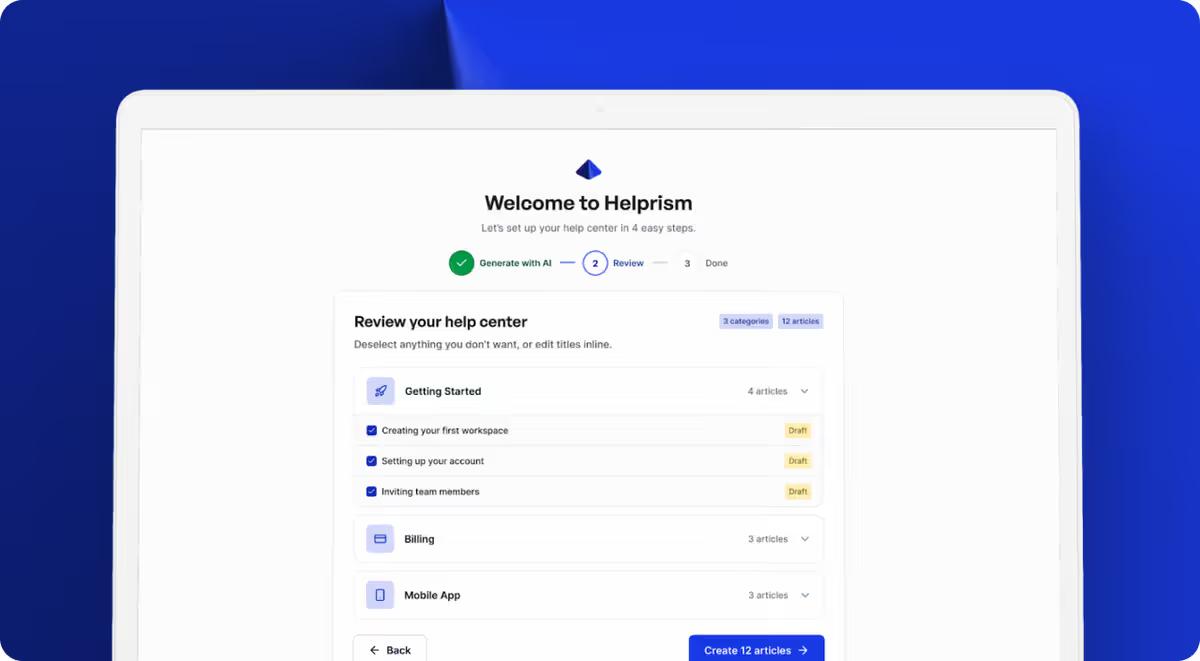
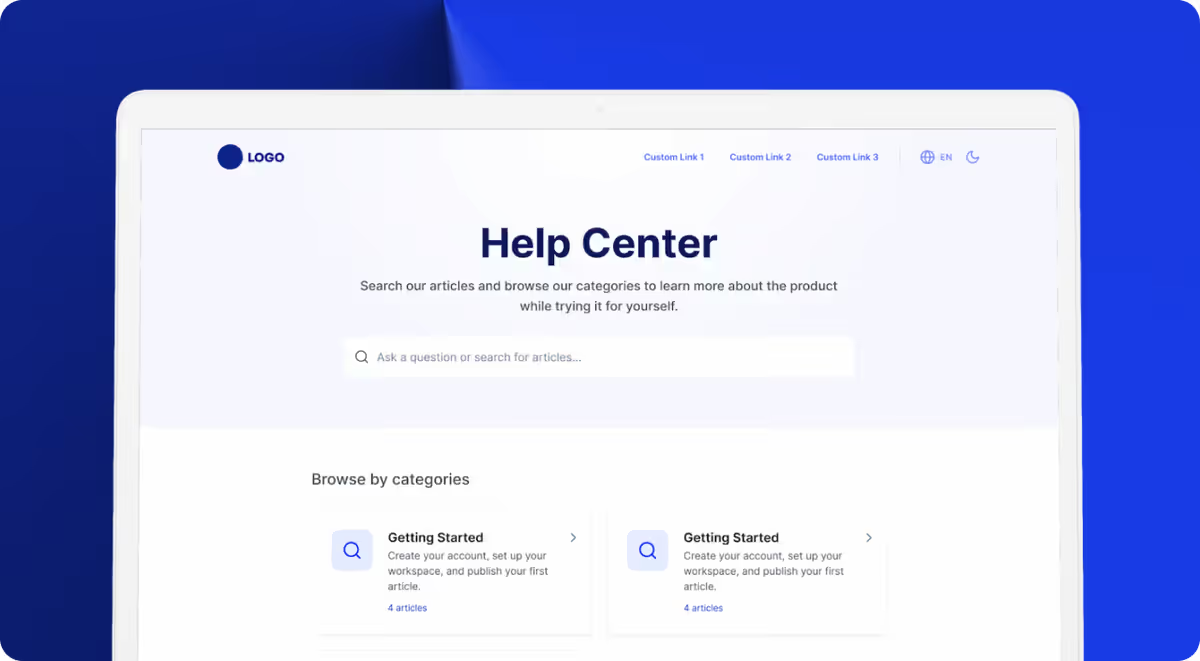
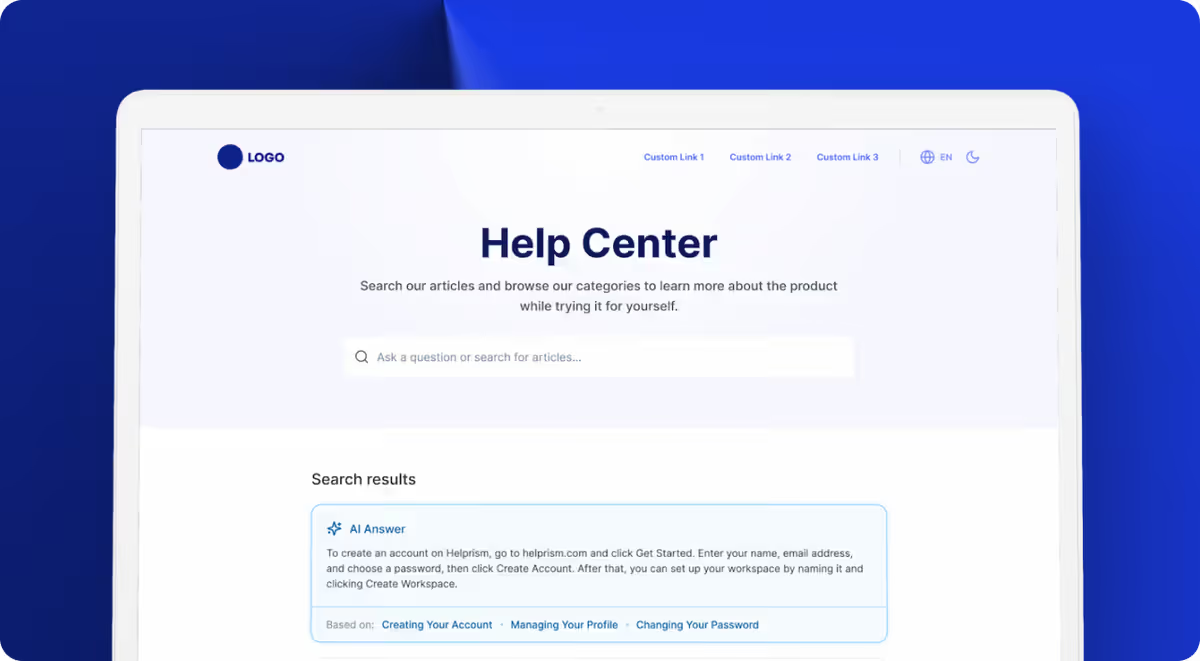
The AI onboarding wizard generates a complete help center from your existing website — categories, articles, and structure — in minutes. The Notion-style block editor makes content creation fast, and the AI answer bot gives customers instant responses sourced directly from your articles.
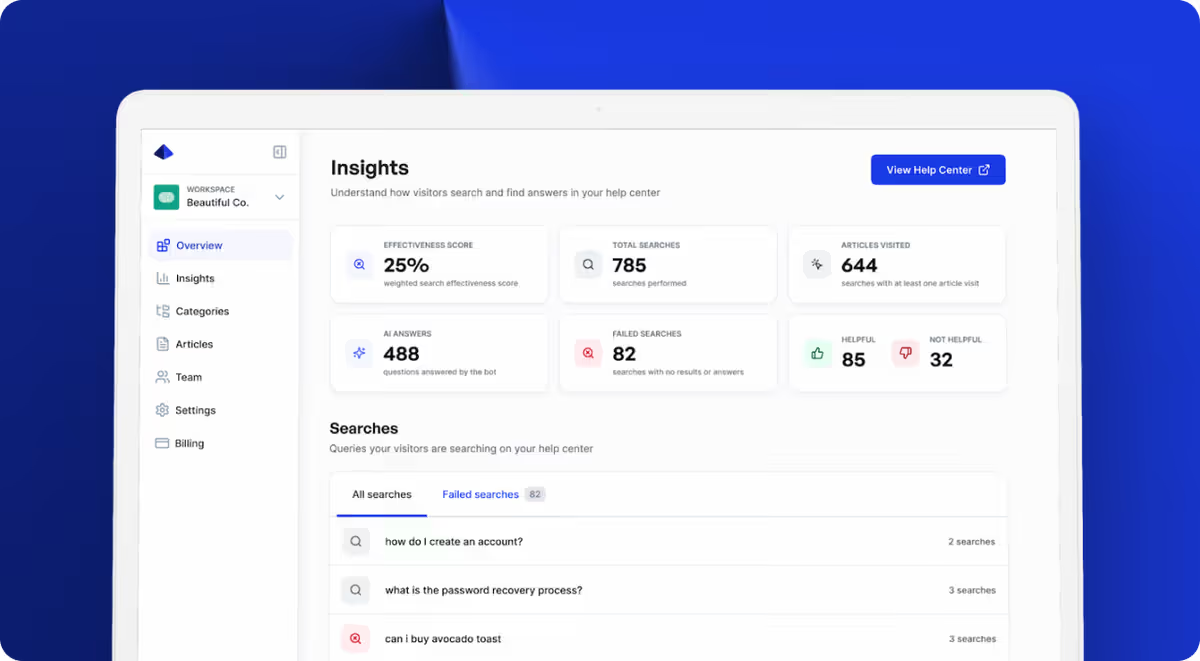
The analytics dashboard tracks what matters: search effectiveness, failed searches (content gaps), and article feedback. You start free ($0, 10 articles, 1 user), then scale through Starter ($19/mo), Pro ($49/mo), and Business ($99/mo).
For the internal side, pair Helprism with a tool like Notion or Confluence. Use Helprism for everything customer-facing, and keep internal documentation in a tool your team already uses.
Pick the Right Tool for the Right Audience
Internal and external knowledge bases serve different audiences with different needs. Conflating them leads to a help center that is too technical for customers and too shallow for employees. Define your audience, pick the right tool for each, and start with the one that has the most measurable impact on your bottom line.
Ready to get started?
Paste your URL. Review the draft. Publish. Your help center is live before your coffee gets cold.
Start Free →