
How to Reduce Support Tickets by 40% with a Knowledge Base
A step-by-step guide to cutting repetitive support tickets with a knowledge base — real strategies, concrete benchmarks, and tools that make it happen fast.

The average support ticket costs $15-20 to resolve. If your team handles 500 tickets a month and half of them are repeat questions — “How do I reset my password?”, “Where’s my invoice?”, “How do I cancel?” — that’s $3,750-$5,000 per month spent answering questions that a single help article could handle. A well-built knowledge base eliminates that waste.
The Real Cost of Repetitive Tickets
Support teams don’t just lose money on repetitive tickets. They lose focus. Every “Where do I find X?” ticket displaces a complex issue that actually needs human attention — a billing dispute, a product bug, an onboarding question that could close a deal.
Harvard Business Review found that 81% of customers try to resolve issues on their own before contacting support. When they can’t find answers, they submit a ticket they didn’t want to submit. Your agents answer a question they’ve answered 200 times. Nobody wins.
The compounding effect is brutal. As your user base grows 2x, ticket volume doesn’t grow 2x — it grows 3-4x, because new users generate more questions. Without self-service documentation absorbing that load, your support costs scale faster than your revenue.
What Actually Moves the Needle
Not all knowledge bases reduce tickets equally. A dumping ground of hastily written articles won’t help. Here’s what separates knowledge bases that cut ticket volume by 40%+ from those that collect dust.
Cover the Top 20 Questions First
Pull your last 90 days of tickets. Tag them by topic. You’ll almost certainly find that 15-20 questions account for 60-70% of total volume. Write thorough articles for those first. Don’t try to document everything on day one — target the highest-impact topics.
Make Search Work
If users can’t find your articles, they don’t exist. Your knowledge base needs full-text search that handles typos, synonyms, and natural language queries. A user searching “change my email” should find your “How to Update Your Account Settings” article.
Keep Articles Short and Scannable
The best help articles are 200-500 words with clear headings, numbered steps, and screenshots. Users aren’t reading for pleasure — they’re trying to fix a problem in under 2 minutes. Walls of text get skipped.
Update Relentlessly
Outdated articles are worse than no articles. They erode trust. Every time you ship a feature update, check whether it affects existing help content. Build this into your release process.
Where Most Teams Get Stuck
The biggest barrier isn’t writing — it’s starting. Staring at an empty help center, trying to figure out categories, writing the first 20 articles from scratch… it takes weeks. Most teams stall here and never launch.
The second barrier is maintenance. Even teams that launch a knowledge base often let it go stale within 3-6 months. Without analytics showing which articles are underperforming or which searches return no results, you’re flying blind.
How Helprism Solves Both Problems
Helprism eliminates the cold-start problem entirely. Our AI onboarding wizard generates a complete help center — categories, articles, and structure — from your website URL in under 5 minutes. You review, edit, and publish. What used to take weeks takes an afternoon.
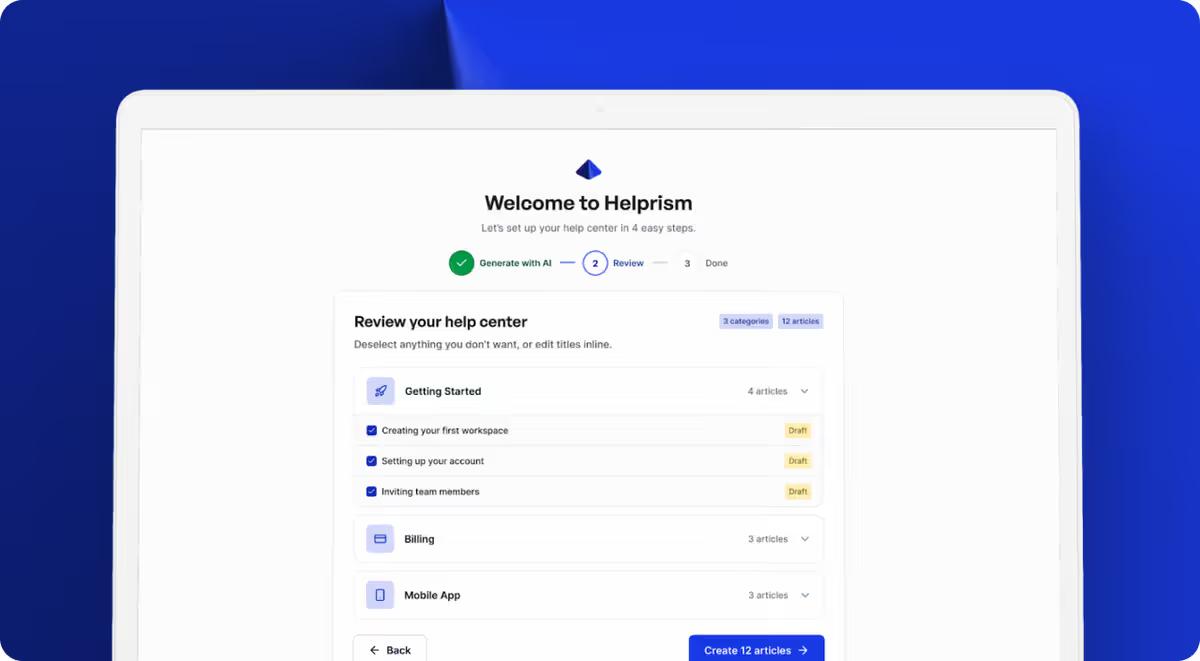
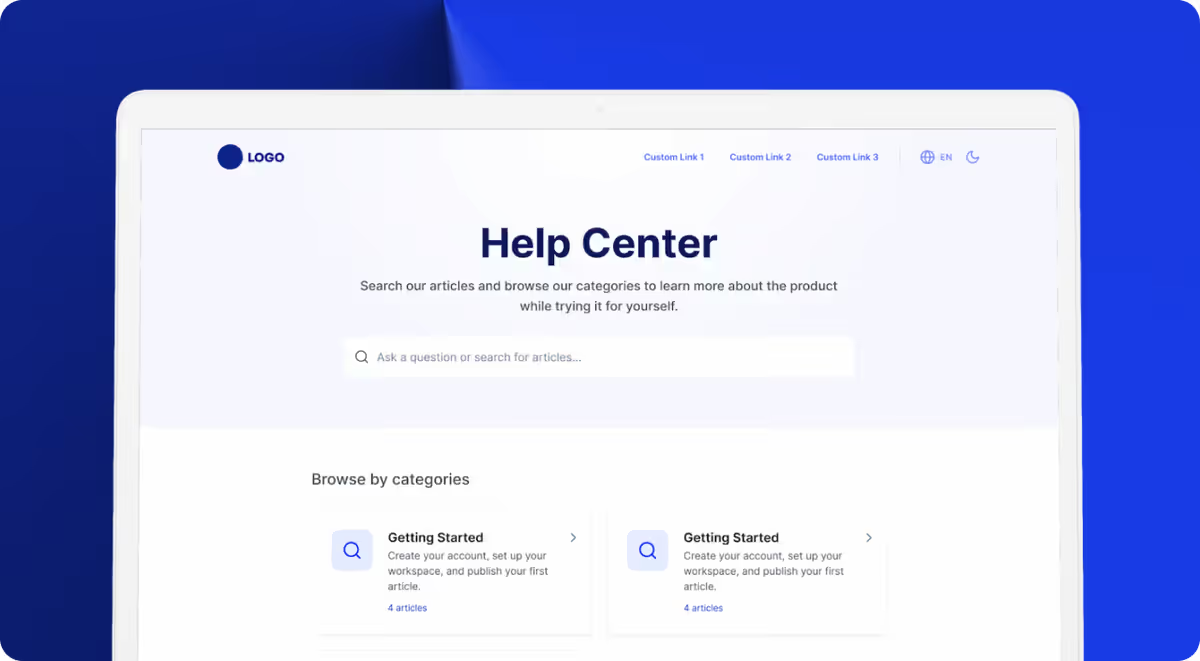
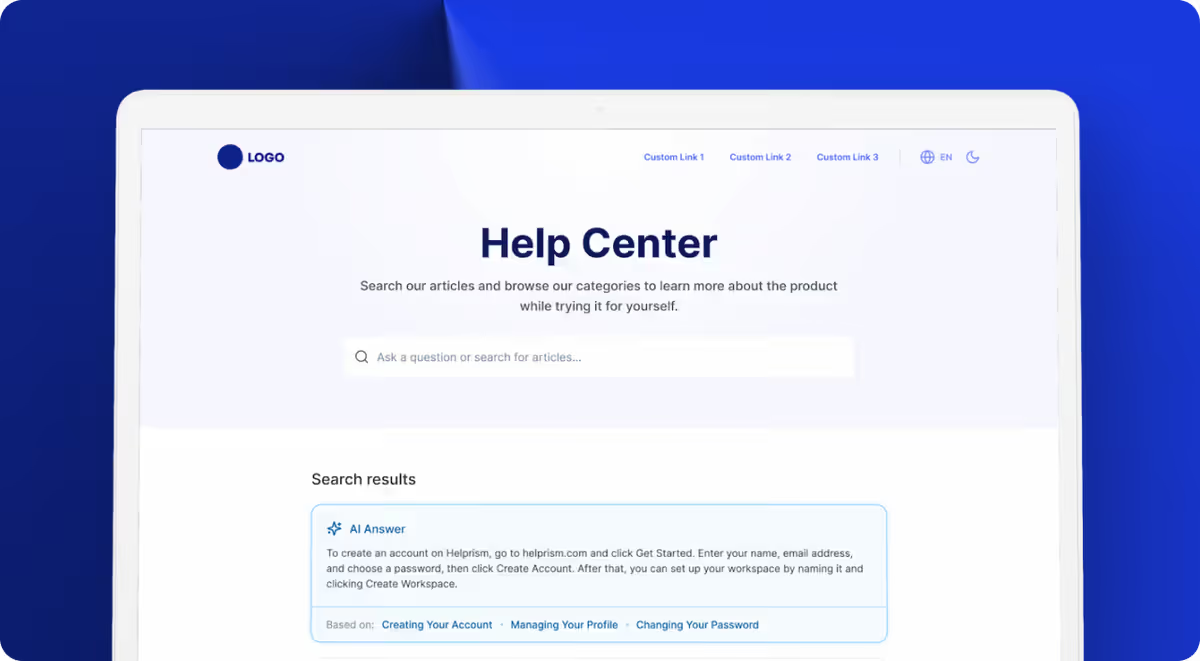
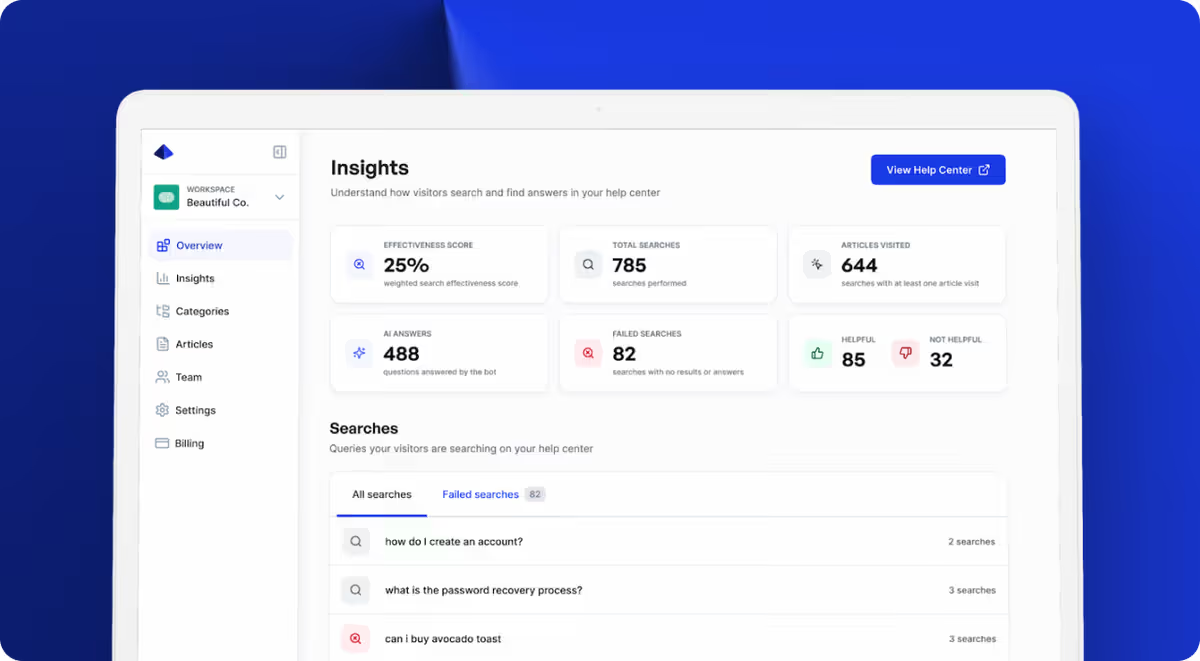
The block editor — built like Notion with inline AI writing tools — makes updating articles fast. And the analytics dashboard shows you exactly which searches return no results, which articles get negative feedback, and where users drop off. No more guessing what to write next.
For teams that want to go further, the AI answer bot (available on Pro at $49/mo) sits on your public help center and answers questions instantly using your articles, deflecting tickets before they’re even created.
Helprism starts free with 10 articles — enough to cover your top questions and see the impact before committing.
The Bottom Line
Every repetitive ticket your knowledge base absorbs is money saved, time recovered, and a customer who got their answer in 30 seconds instead of 30 hours. The math is simple: invest a few hours building a knowledge base now, or keep paying $15+ per ticket forever.
Ready to get started?
Paste your URL. Review the draft. Publish. Your help center is live before your coffee gets cold.
Start Free →