
How to Organize Your Knowledge Base for Maximum Findability
A disorganized knowledge base is a useless knowledge base. Here's the exact framework for structuring categories, naming articles, and ensuring users find answers fast.

Here’s a stat that should alarm you: according to Coveo, 74% of users will switch to a competitor if your knowledge base is too complicated. Not if your product is bad — if your help content is hard to navigate. You could have the most thorough documentation in your industry, and it means nothing if users can’t find the right article in under 30 seconds.
Organization is the difference between a knowledge base that deflects tickets and one that generates them.
The 30-Second Rule
Users give your knowledge base about 30 seconds. They’ll try a search query, scan the results, maybe browse a category. If they don’t find what they need in that window, they leave and open a ticket (or worse, churn silently).
Everything about your knowledge base structure should be optimized for that 30-second window: clear categories, descriptive article titles, and search that actually works.
The Category Framework
Most teams either create too many categories or too few. Here’s the sweet spot:
Aim for 5-8 Top-Level Categories
More than 8 categories overwhelm users with choices. Fewer than 4 feel sparse and force unrelated topics together. The ideal range for most SaaS products is 5-8 categories covering distinct functional areas.
Good categories for a project management tool:
- Getting Started
- Projects & Tasks
- Team & Permissions
- Integrations
- Billing & Account
Bad categories:
- General (too vague — what goes here?)
- Advanced Features (arbitrary — “advanced” means different things to different users)
- Miscellaneous (a junk drawer that grows forever)
Name Categories From the User’s Perspective
Internal terminology doesn’t belong in your knowledge base. Your engineering team calls it “workspace provisioning.” Your users call it “setting up my account.” Use their language, not yours.
Review your support tickets and search logs. The words users actually type should drive your category and article naming.
Article Titles That Match Search Intent
The title is 80% of findability. A user searching “how to invite team members” will find an article called “How to Invite Team Members” but will miss one called “Collaboration Settings Overview.”
Three rules for titles:
- Start with the action. “How to Export Data as CSV” beats “Data Export Options.”
- Use the user’s words. Check your support tickets for exact phrasing. If users say “add people to my team,” don’t title it “User Provisioning.”
- Be specific. “How to Set Up Slack Integration” beats “Integrations” every time. Each article should target one specific question.
Search Optimization
Even with perfect categories and titles, 60-70% of knowledge base visits start with search (according to Zendesk’s benchmarks). If your search is broken, your organization doesn’t matter.
Key requirements for effective knowledge base search:
- Synonym handling: “delete” should match articles about “remove.” “Payment” should match “billing.”
- Typo tolerance: Users type fast and make mistakes. “intergation” should still find “integration.”
- Instant results: Search-as-you-type with suggested articles reduces the time to answer.
How Helprism Gets Organization Right From Day One
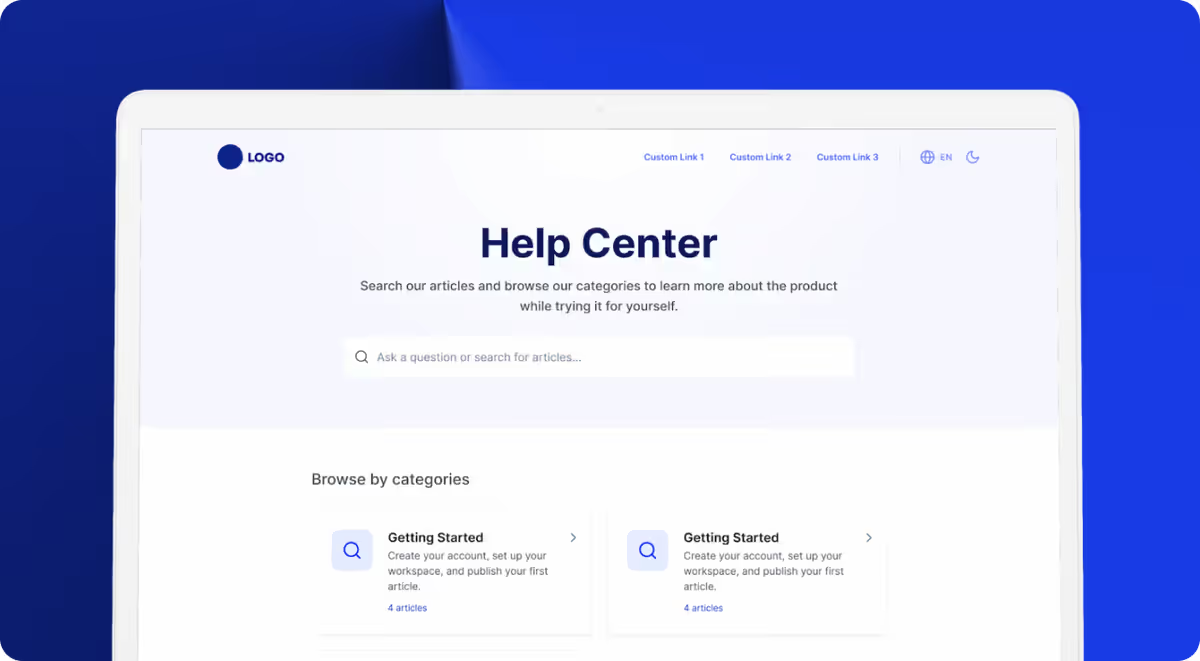
The hardest part of organizing a knowledge base is the initial structure. Staring at an empty help center, deciding on categories, figuring out what articles to write — it’s paralyzing. Most teams procrastinate for months.
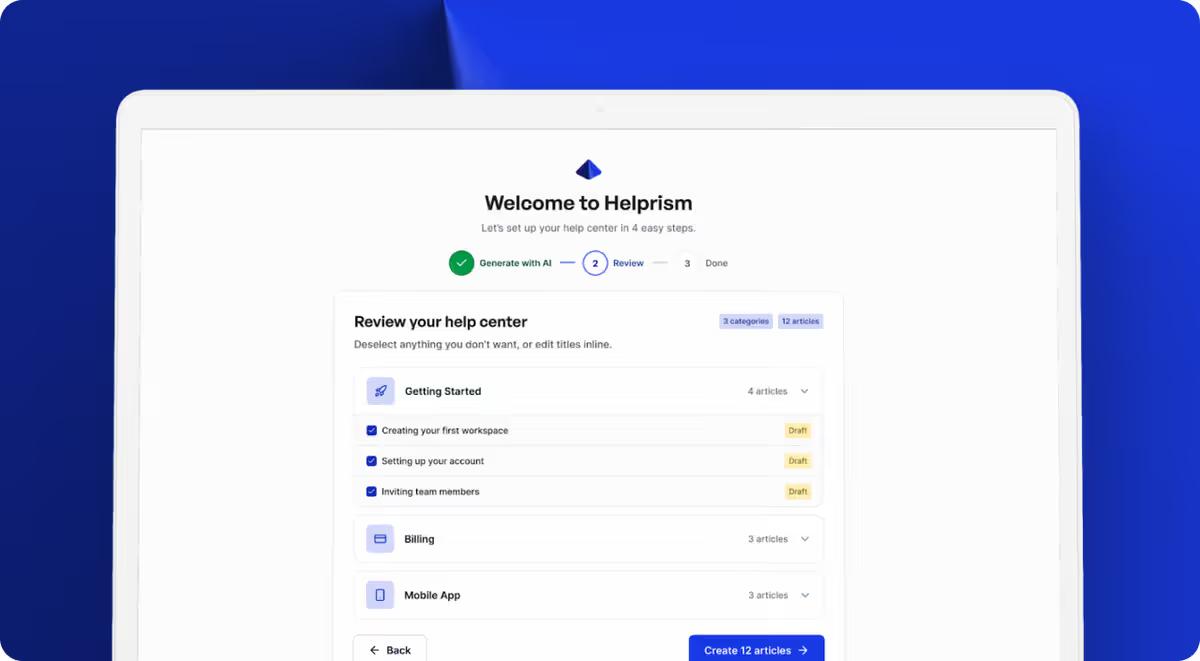
Helprism’s AI onboarding wizard eliminates that problem. Paste your website URL, and the AI generates a structured knowledge base — logical categories, relevant articles, sensible hierarchy — in minutes. You’re editing and refining from a solid starting point, not building from nothing.
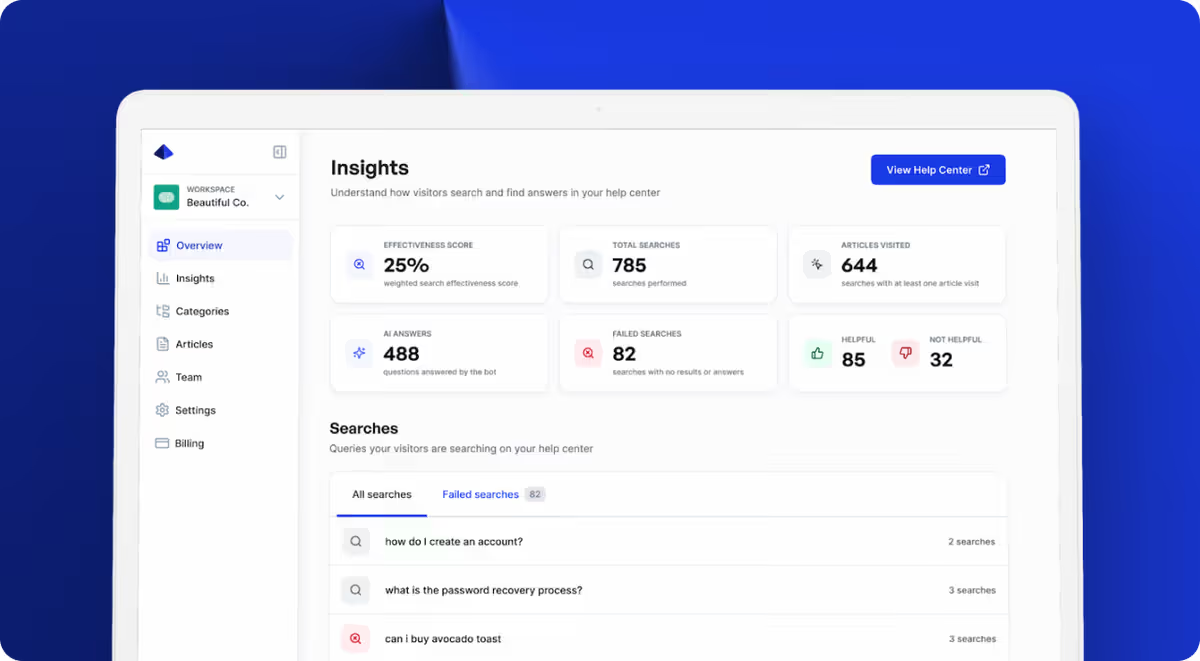
Once your help center is live, the analytics dashboard becomes your organizational compass. It shows which searches return no results (content gaps), which articles get poor ratings (quality issues), and which categories get the most traffic (where to invest more depth). This data-driven loop means your organization improves continuously, not just at launch.
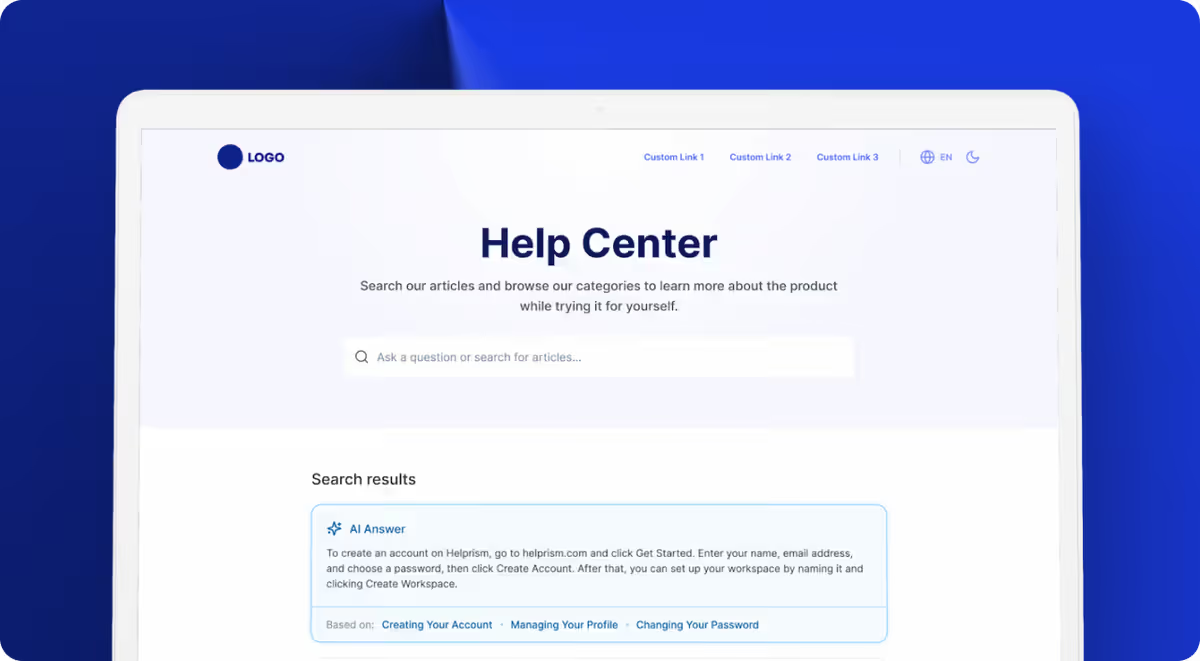
The AI answer bot (available on Pro at $49/mo) adds another layer — it surfaces the most relevant article for any user query, even if the user’s phrasing doesn’t exactly match your titles. It’s like having search that understands intent, not just keywords.
Helprism is free to start with up to 10 articles and 3 categories. Enough to build your initial structure and validate the approach.
Start Simple, Iterate With Data
You don’t need a perfect taxonomy on day one. Start with 5-6 obvious categories and your top 10-15 articles. Watch the analytics. See where users struggle. Reorganize based on evidence, not guesswork.
The best knowledge bases aren’t built — they’re grown. But they need the right foundation to grow in the right direction.
Ready to get started?
Paste your URL. Review the draft. Publish. Your help center is live before your coffee gets cold.
Start Free →