
Help Center SEO: How to Rank Your Support Content on Google
Learn actionable help center SEO tactics — from keyword research to schema markup — that drive organic traffic and cut support tickets by up to 40%.

91% of customers would use a knowledge base if it met their needs — yet most help centers are invisible on Google. Your team writes detailed articles, but they sit behind login walls, buried under thin metadata, with no internal linking strategy. Meanwhile, customers Google the exact question your article answers and land on a competitor’s blog instead.
Help center SEO fixes that. And it is more straightforward than you think.
Why Most Help Centers Fail at SEO
Traditional help center platforms treat support content as an afterthought. They generate dynamic URLs that search engines struggle to crawl, strip metadata controls from editors, and lock content behind authentication. The result: zero organic visibility.
Here is what that costs you in practice:
- More support tickets. Customers who cannot self-serve file tickets. Companies with strong self-service see 20-40% fewer inbound requests.
- Lost trust. When a customer Googles “how to reset [your product] password” and finds nothing, they question whether you have your act together.
- Missed acquisition. Help content ranks for long-tail queries that blog posts never target. These searches often come from people actively evaluating your product.
Five Tactics That Actually Move the Needle
1. Target Question-Based Keywords
Your customers search in questions: “how do I export data from [product],” “why is my invoice showing the wrong amount.” Use tools like Google Search Console, AnswerThePublic, or even your own search analytics to find these queries. Each article should target one primary question keyword in the title and H1.
2. Write Descriptive Titles and Meta Descriptions
Generic titles like “Getting Started” or “Account Settings” tell Google nothing. Instead: “How to Set Up Two-Factor Authentication in [Product].” Keep titles under 60 characters. Write meta descriptions that summarize the answer in 150-160 characters — this is your click-through pitch.
3. Structure Content for Featured Snippets
Google pulls featured snippets from well-structured content. Use numbered steps for how-to articles, bullet lists for “what is” articles, and clear H2/H3 hierarchies. The first paragraph under each heading should directly answer the heading’s question.
4. Build Internal Links Between Articles
Link related articles to each other. A troubleshooting article about login issues should link to your password reset guide, your SSO setup guide, and your account recovery article. This helps Google understand your content cluster and passes authority between pages.
5. Use Schema Markup
Add FAQPage or HowTo structured data to your articles. This increases your chances of appearing in rich results — those expanded listings that dominate the top of search results. According to Search Engine Journal, pages with schema markup rank an average of 4 positions higher.
How Helprism Makes Help Center SEO Effortless
Most of the SEO failures above come from platform limitations, not laziness. Helprism eliminates those limitations by default.
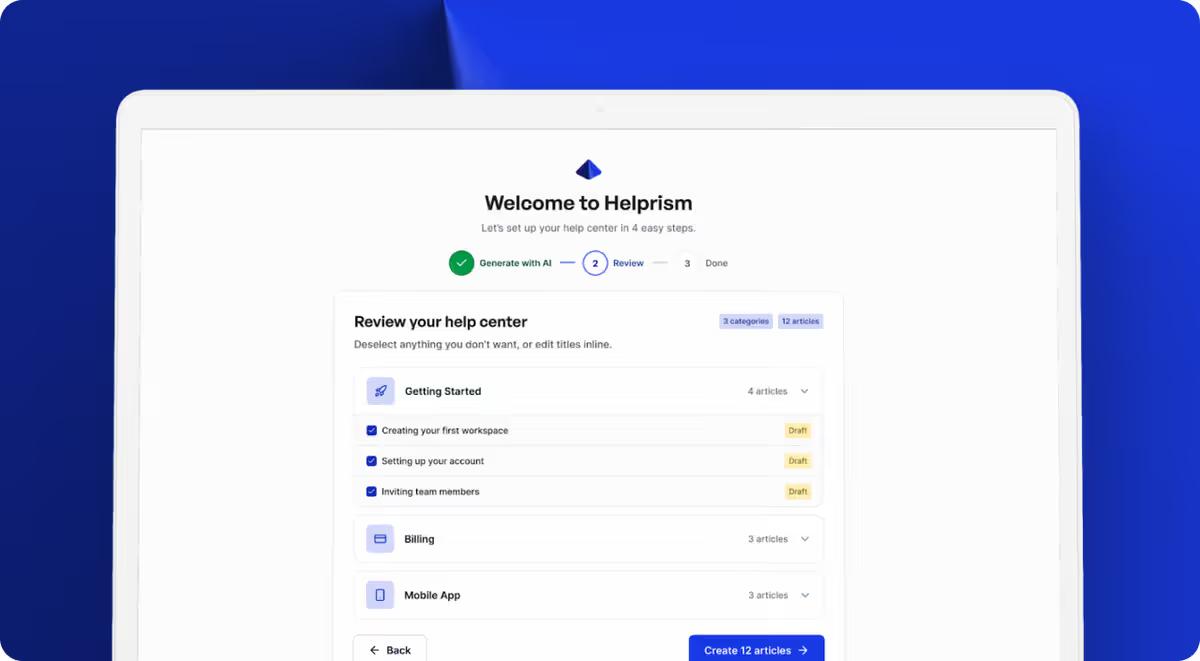
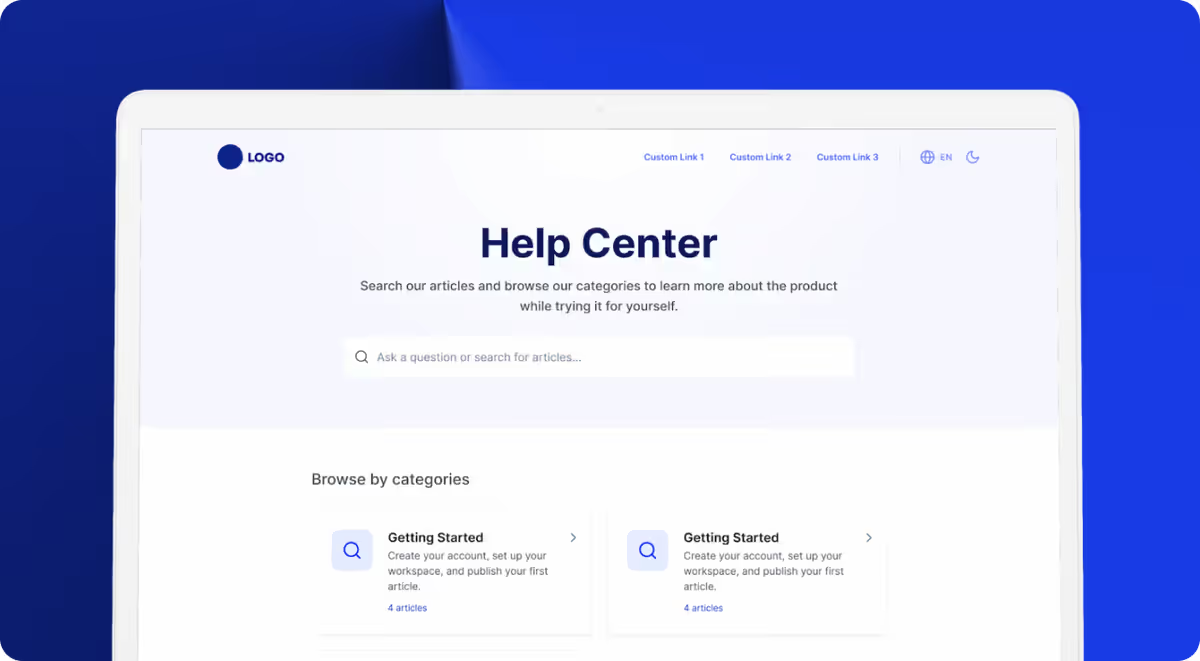
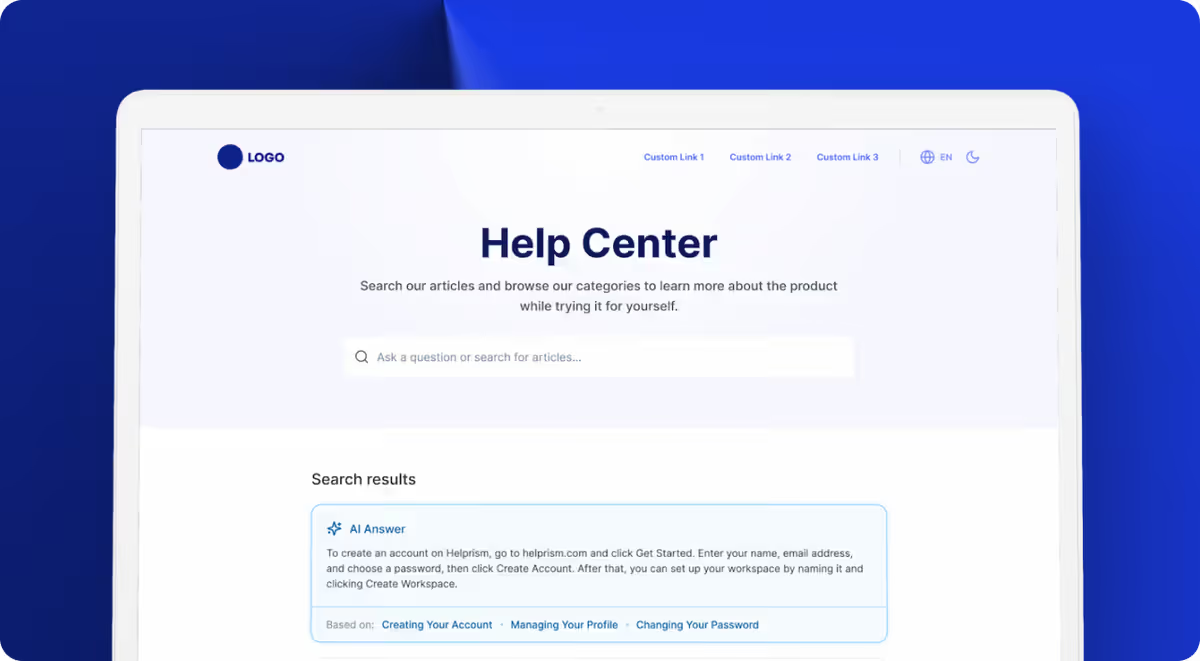
Every Helprism help center ships with clean, crawlable URLs, editable meta titles and descriptions per article, and a static HTML structure that Google indexes easily. The AI onboarding wizard analyzes your existing site and generates keyword-aligned articles automatically — you paste a URL, and a full help center appears in minutes.
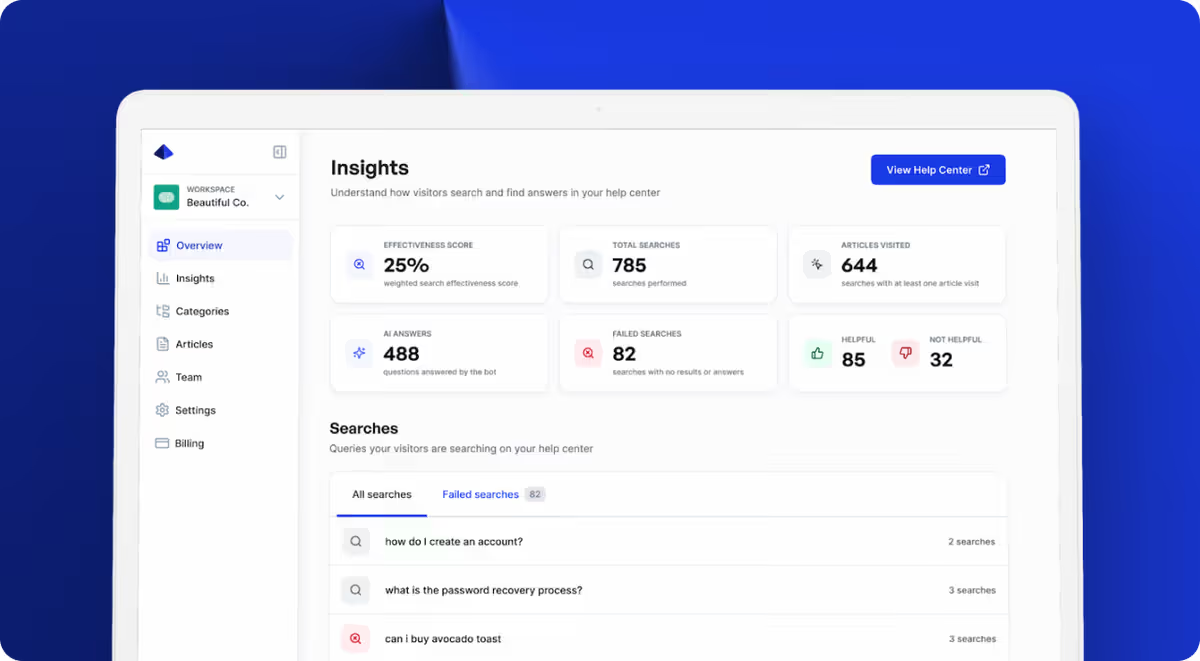
The analytics dashboard closes the loop: it tracks which searches succeed, which fail, and which articles get the most views. Failed searches are SEO gold — they tell you exactly which content to create next. Plans start free ($0, 10 articles, 1 user), with Starter at $19/mo, Pro at $49/mo, and Business at $99/mo as you scale.
Start Ranking Your Support Content
Your help center is not just a support tool — it is a search engine asset. Every article you publish targets a query your customers are already searching. The companies that treat help content as SEO content end up with fewer tickets, more organic traffic, and customers who find answers before they even think about contacting support.
Ready to get started?
Paste your URL. Review the draft. Publish. Your help center is live before your coffee gets cold.
Start Free →