
GitBook vs help center software: which do you actually need?
Discover the differences between GitBook and help center software to find the best solution for your documentation needs and enhance user experience.

Updated Sep 2026: pricing refreshed.
You set up GitBook for your help center. The docs look clean. Then a customer emails: “I searched your help center and couldn’t find anything.” You check. The article exists. But GitBook’s search wasn’t built for non-technical users hunting for answers. It was built for developers navigating API references.
This is the core mistake. GitBook is a documentation tool. A help center is a support tool. They look similar on the surface, but they solve fundamentally different problems.
What GitBook is actually good at
GitBook is excellent at what it was designed for: structured technical documentation.
If you’re writing API docs, maintaining an internal engineering wiki, or publishing guides for an open-source project, GitBook delivers. It supports markdown, Git-based version control, and collaborative editing. The free plan covers personal projects, and paid plans start at $65 per site per month (Premium, billed annually) plus $12 per user per month.
For developer audiences who already know what they’re looking for, GitBook works well. The content is structured like code documentation should be — hierarchical, version-controlled, and precise.
But that’s the point. GitBook assumes the reader is technical. It assumes they know roughly where to look. It assumes they’re comfortable navigating a docs site.
Your customers are none of those things.
Why GitBook falls short as a help center
A customer-facing help center has a completely different job. It needs to help non-technical users find answers fast, reduce support tickets, and give your team visibility into what’s working and what’s not.
GitBook wasn’t built for any of that. Here’s what’s missing:
- No AI answer bot. Customers can’t ask a question in natural language and get an instant answer pulled from your articles.
- No search analytics. You can’t see what customers are searching for, which queries return no results, or which articles get the most views.
- No embeddable widget. There’s no way to surface help content inside your product without sending users to a separate docs site.
- No AI content generation. You write every article from scratch. No AI to draft content, suggest improvements, or generate an entire help center from your existing website.
- No branded design system. GitBook sites look like GitBook. Your help center should look like your product.
These aren’t nice-to-haves. They’re the features that separate a documentation tool from a support tool.
GitBook vs help center software: feature comparison
| Feature | GitBook | Help center software (Helprism) |
|---|---|---|
| Markdown / block editor | Yes | Yes (Notion-style with inline AI) |
| Git-based version control | Yes | No |
| AI answer bot | No | Yes |
| Embeddable help widget | No | Yes |
| Search analytics | No | Yes |
| Article feedback & ratings | No | Yes |
| AI content generation | No | Yes |
| Custom domain | Yes (paid) | Yes |
| Custom branding & colors | Limited | Full control |
| AI onboarding (generate from URL) | No | Yes |
| Built for | Developers | Customers |
| Pricing | Free / $65/site/month + $12/user/month | Free / from $19/month |
When to use GitBook
GitBook is the right choice when your audience is developers and your content is technical.
- API documentation. Versioned references for endpoints, parameters, and response schemas.
- Internal engineering docs. Runbooks, architecture decisions, onboarding guides for engineers.
- Open-source project docs. Public documentation that lives alongside your code.
If the people reading your docs also write code, GitBook fits.
When to use help center software
Help center software is the right choice when your audience is customers and your goal is reducing support load.
- Customer self-service. Searchable articles that answer common questions before they become tickets.
- Support ticket deflection. An AI answer bot that resolves questions instantly inside your product.
- Content gap analysis. Analytics that show you what customers search for and can’t find, so you know exactly what to write next.
- Branded experience. A help center that looks like an extension of your product, not a third-party docs site.
If the people reading your content are end users — not engineers — you need a help center.
Helprism: built for customer help centers
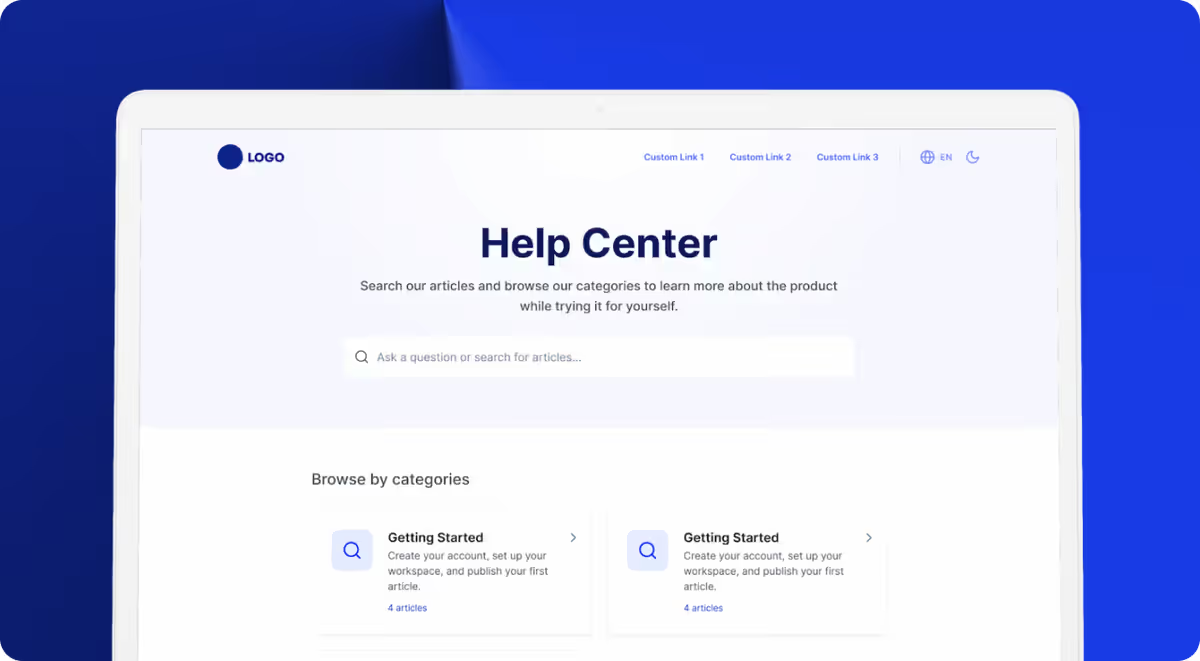
Helprism is purpose-built for exactly this use case. You get a branded, searchable help center with AI baked into every layer.
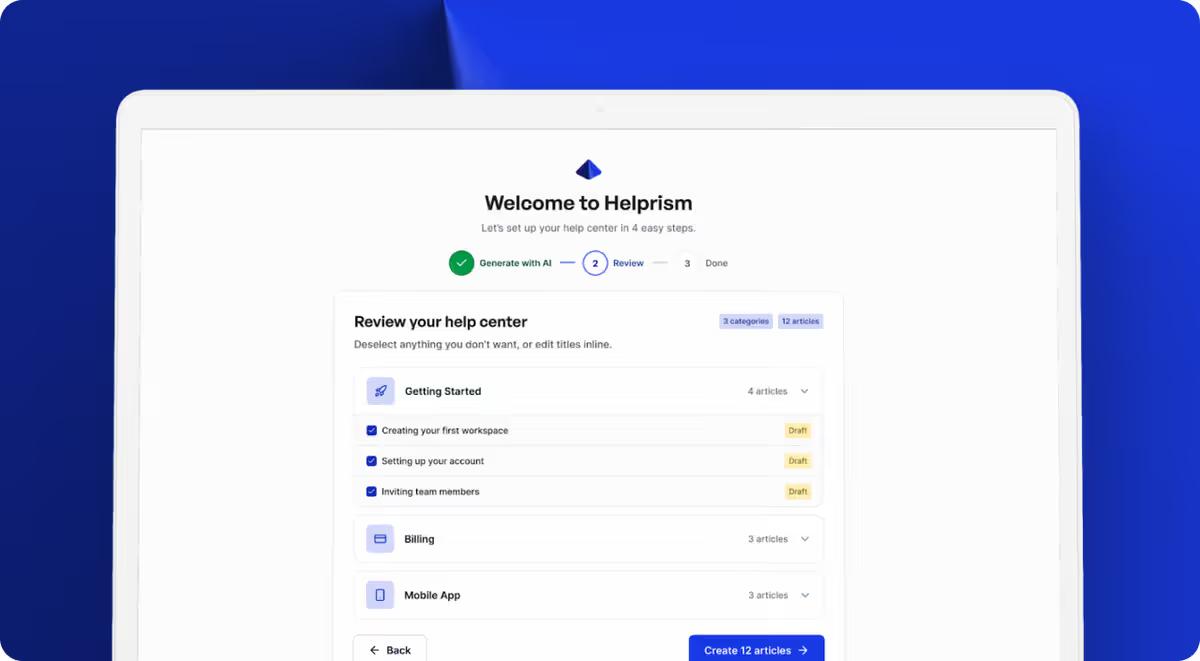
AI onboarding wizard. Paste your website URL. Helprism’s AI reads your site, generates categories and draft articles, and gives you a working help center in minutes — not weeks.
Notion-style block editor with inline AI. Write and edit articles with a modern editor. Use AI to expand, rewrite, or translate content without leaving the page.
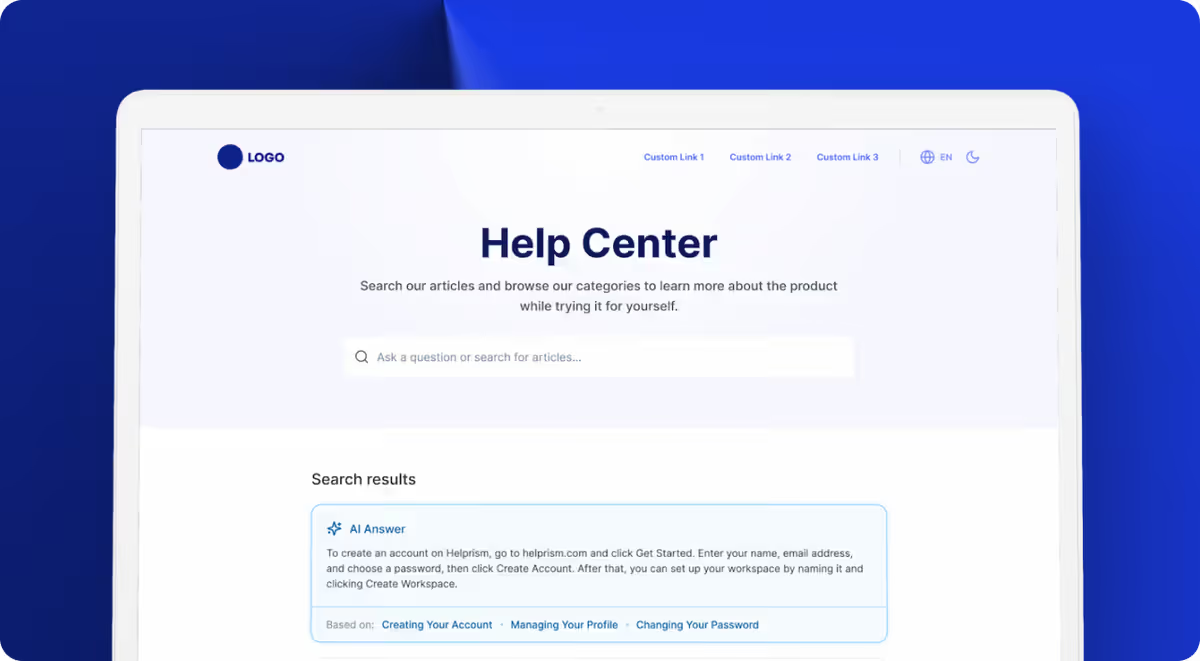
AI answer bot and embeddable widget. Drop a widget into your product. Customers ask questions in plain language and get instant answers sourced from your articles.
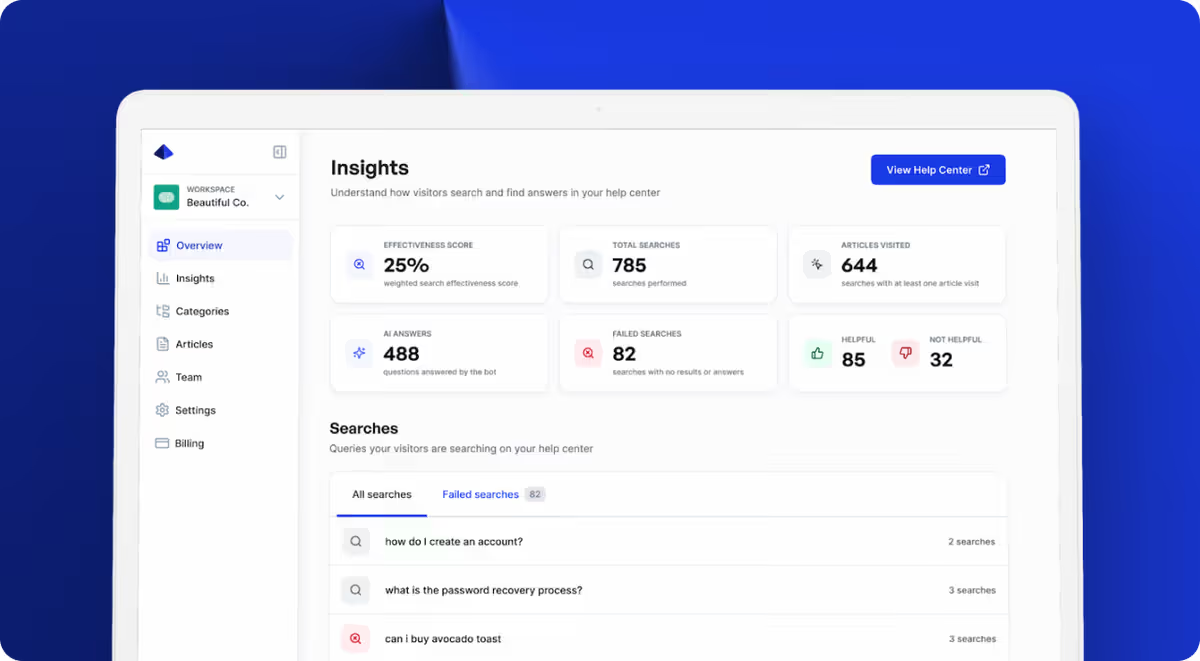
Analytics dashboard. See what customers search for, which articles get views, which get negative feedback, and where your content has gaps.
The bottom line
GitBook and help center software aren’t competitors. They solve different problems for different audiences.
Use GitBook for developer docs. Use help center software for customer support. Trying to force one into the other’s role wastes time and creates a worse experience for the people you’re trying to help.
If you need a customer-facing help center — one that reduces tickets, surfaces answers instantly, and tells you what content to write next — Helprism gets you there in minutes.
Ready to get started?
Paste your URL. Review the draft. Publish. Your help center is live before your coffee gets cold.
Start Free →